Every time you search for someone on LinkedIn, you'll notice a small label next to their name: 1st, 2nd, or 3rd. It shows up on profiles, in search results, and even beside people commenting on posts in your feed.
Most people know it has something to do with connections, but not much more than that. And that's where a lot of confusion starts. Why can you message some people but not others? Why is the Connect button missing on certain profiles? Why do some names just say "LinkedIn Member"?
The answer to all of these comes down to connection degrees. In this guide, we'll explain what 1st, 2nd, and 3rd mean on LinkedIn, what you can do with each type of connection, and how to use this to reach the people you actually want to talk to.
What Do 1st, 2nd, and 3rd Mean on LinkedIn?
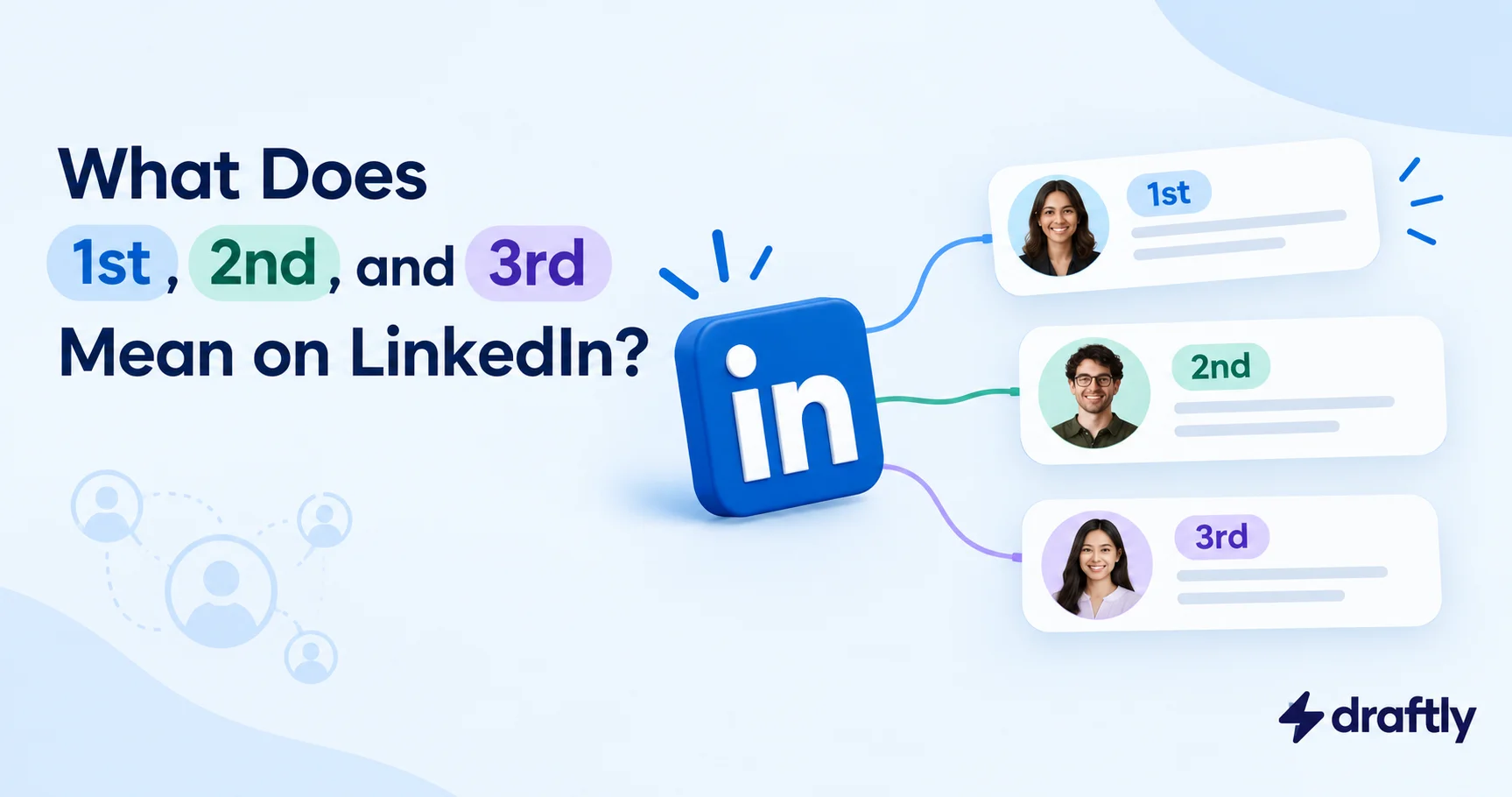
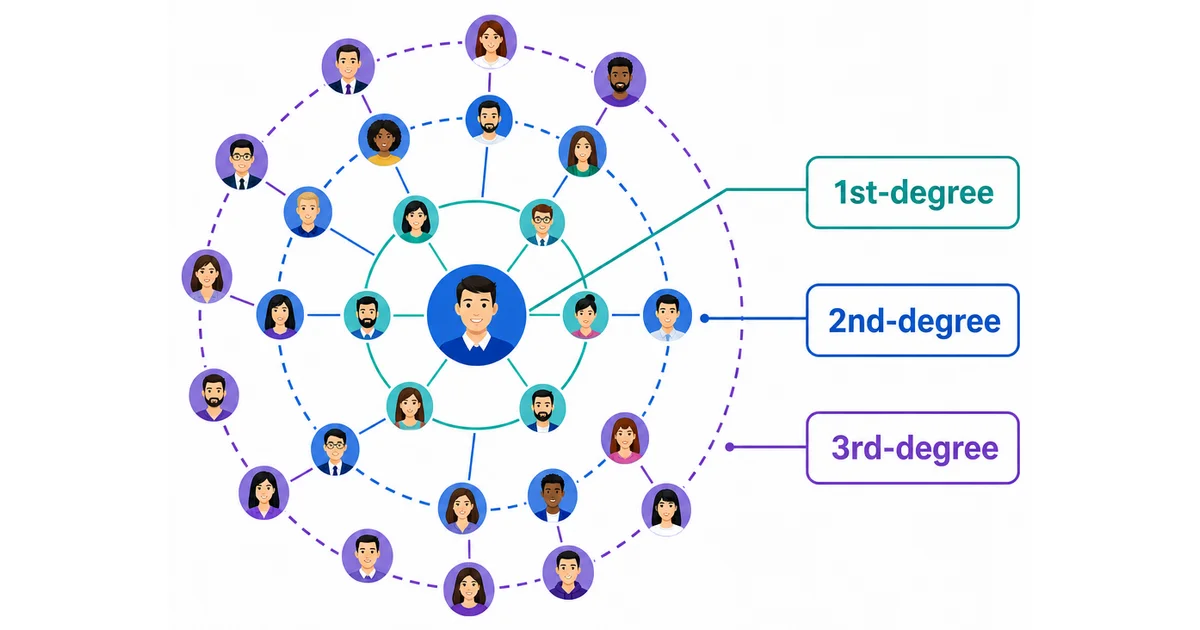
The numbers next to someone's name show how closely they're connected to you on LinkedIn.
- 1st: You're directly connected. One of you sent a connection request and the other accepted it.
- 2nd: You're not connected, but you have at least one mutual connection. They know someone you know.
- 3rd: You're connected through a 2nd-degree connection. There are two people between you and them.
Anyone further away than that is considered out of network.
These labels are always from your point of view. The same person could be a 1st-degree connection for your colleague, 2nd-degree for you, and 3rd-degree for someone else in your team.
What Does 1st Mean on LinkedIn?
A 1st-degree connection is someone you're directly connected with. These are the people who show up in your connections list under My Network.
This is the closest relationship you can have with someone on LinkedIn, and it gives you the most options:
- You can send them messages directly without paying for InMail.
- You can see their full profile, including contact details they've chosen to share with connections.
- Their posts appear in your feed, and your posts appear in theirs.
- You can endorse their skills and write them a recommendation.
Your 1st-degree connections matter for another reason too. Every person you connect with brings their own network with them, and that's what creates your 2nd and 3rd-degree connections. So who you connect with matters more than how many people you connect with. There's no perfect number either, since the right number of connections depends on whether you're job hunting, selling, or simply staying in touch with your industry.
LinkedIn allows up to 30,000 1st-degree connections on a single account. Once you reach that limit, people can still follow you, but they can't connect with you.
What Does 2nd Mean on LinkedIn?
A 2nd-degree connection is someone who is connected to one of your connections, but not to you.
When you open a 2nd-degree connection's profile, you'll usually see a line like "Sarah Thomas and 3 other mutual connections." This tells you exactly who you both know, and it's one of the most useful details on the page.
With a 2nd-degree connection, you can:
- Send a connection request from their profile or directly from search results.
- View their profile, in most cases in full.
- Ask a mutual connection to introduce you.
What you can't usually do is message them directly for free. To do that, they need to have an Open Profile, you need to be members of the same LinkedIn Group, or you need to use an InMail credit, which comes with LinkedIn Premium.
For most people, 2nd-degree connections are the most valuable part of their network. They're close enough that a connection request doesn't feel random, because you already have someone in common. But they're still new contacts, which is exactly what you need when you're looking for a job, clients, or partners.
What Does 3rd Mean on LinkedIn?
A 3rd-degree connection is someone who is connected to one of your 2nd-degree connections. You don't share any mutual connections with them directly.
You can still reach 3rd-degree connections, but it takes a little more effort:
- The Connect button is often available, but sometimes it's hidden under the More button on their profile.
- If they've limited who can send them invitations, you might only see a Follow button.
- How much of their profile you can see depends on their privacy settings.
Since there's no mutual connection to mention or ask for an introduction, a connection request with no note is easy to ignore. With 3rd-degree connections, it helps to interact with their posts or find some common ground before you reach out.
What Does 3rd+ Mean on LinkedIn?
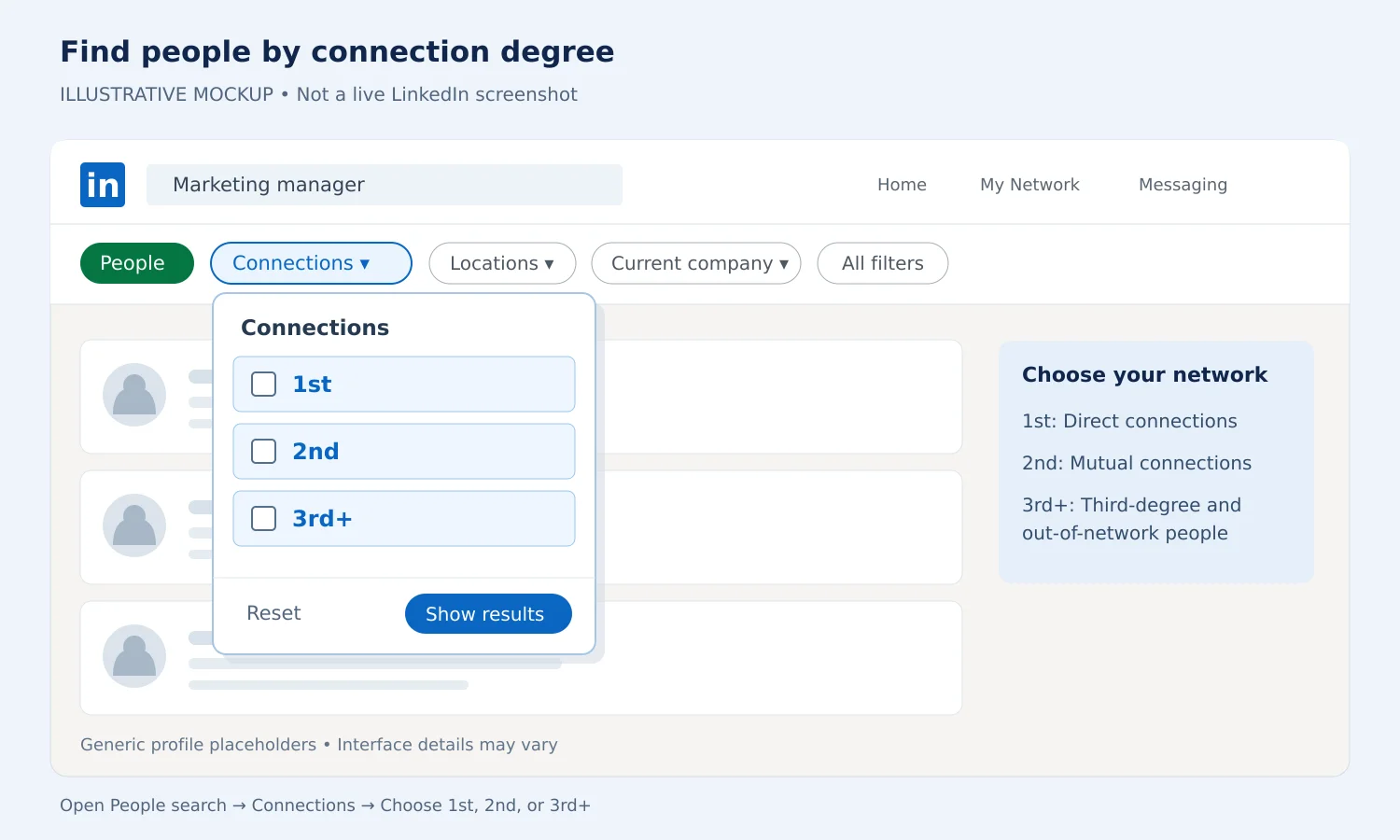
You'll mostly see "3rd+" in LinkedIn search. When you filter people by connection, LinkedIn gives you three options: 1st, 2nd, and 3rd+.
The 3rd+ option includes your 3rd-degree connections and everyone outside your network. It isn't a separate type of connection. It simply means "anyone who isn't a 1st or 2nd-degree connection."
What Does "LinkedIn Member" or "Out of Network" Mean?
People who are more than three degrees away from you are out of network. There's no chain of connections linking you to them, at least not one that's close enough for LinkedIn to show.
For some out-of-network profiles, you may see limited information, and in some cases the name is replaced with "LinkedIn Member." This usually depends on that person's privacy settings and your account type. It can also happen when someone has made their profile private to people outside their network.
There's one exception worth knowing about. If you're both members of the same LinkedIn Group, LinkedIn treats you as sharing a connection point. Group members can generally message each other, even without being connected, within LinkedIn's messaging limits.
1st vs 2nd vs 3rd Connections: Quick Comparison
Here's a side-by-side look at what you can do with each type of connection:
| What you want to do | 1st | 2nd | 3rd | Out of network |
|---|---|---|---|---|
| Message for free | Yes | Only with Open Profile or a shared group | Only with Open Profile or a shared group | Rarely |
| Send InMail | Not needed | Yes | Yes | Usually |
| Send a connection request | Already connected | Yes | Usually | Sometimes |
| See mutual connections | Yes | Yes | No | No |
| Ask for an introduction | Not needed | Yes | Not directly | No |
| See full profile | Yes | Usually | Depends on settings | Limited |
If you regularly message people outside your 1st-degree network, InMail credits can help, though whether LinkedIn Premium is worth paying for depends on how often you'd actually use them.
Where You'll See Connection Degrees on LinkedIn
The connection degree appears in quite a few places across LinkedIn:
- On profiles, right beside the person's name.
- In search results, next to every person listed.
- In your feed, next to the names of people who post or comment. This is an easy way to find 2nd-degree connections who are active in your industry.
- In "People you may know," which mostly suggests 2nd-degree connections.
- On company pages, where LinkedIn shows which employees you're connected to.
It also works both ways. If someone is a 2nd-degree connection to you, you'll show up as a 2nd-degree connection to them.
An Example of How Connection Degrees Work
Let's say you're a marketing manager and you want to speak with Neha, who leads the content team at a company you'd like to work for.
You search for her and see a "2nd" next to her name. On her profile, it says you have one mutual connection: Aman, a former colleague of yours.
Aman is your 1st-degree connection. Neha is Aman's 1st-degree connection, which makes her your 2nd-degree connection. Neha's director, who is connected to Neha but not to anyone you know, would be a 3rd-degree connection for you.
Sending a cold connection request to the director is unlikely to get a response. But asking Aman to introduce you to Neha is a small favor, and it gets you a warm conversation with someone inside the company. If that goes well, Neha may be able to connect you with her director later.
This is why connection degrees are so useful. They show you who you already know that can help you reach someone new. It's also why a smaller, relevant network helps more with building your personal brand on LinkedIn than a large network of people you have nothing in common with.
How to Contact 2nd and 3rd-Degree Connections
The right approach depends on how far away someone is from you.
Reaching 2nd-degree connections
- Open their profile and click on the mutual connections.
- Choose the mutual connection you know best.
- Ask for an introduction, or ask if it's okay to mention their name when you reach out.
Here's a simple message you can send to your mutual connection:
"Hi Aman, hope you're doing well. I saw you're connected with Neha at Brightlane. I'm looking into content roles there and would really value 15 minutes of her time. Would you be open to introducing us? If not, would it be alright if I mentioned you when I reach out?"
If you'd rather send the connection request yourself, mention your mutual contact in the note. A short connection message that names the person you both know is much harder to ignore than a blank request.
Reaching 3rd-degree connections
- Engage with their posts first. Leave a few thoughtful comments over a week or two so your name becomes familiar.
- Look for common ground, like a LinkedIn Group you're both in or an event you're both attending.
- Check if they have an Open Profile. If they do, you can message them for free.
- Send a connection request with a note that mentions something specific, like a post they wrote.
This approach takes longer, but people are far more likely to accept a request from a name they already recognize. It's the same slow, relationship-first way of networking on LinkedIn that works with almost anyone you don't know yet.
Reaching people out of network
For people outside your network, LinkedIn often isn't the easiest way in. InMail is one option, but you may get a better response through a shared community, an industry event, or their work email.
How to Find 2nd and 3rd-Degree Connections in LinkedIn Search
If you're looking for people at a specific company or in a certain role, you can filter your search by connection degree:
- Type a name, job title, or company into the LinkedIn search bar.
- Click People at the top of the results page.
- Click the Connections filter and choose 1st, 2nd, or 3rd+.
- Add more filters, such as Current company or Locations, to narrow down the results.
A good habit is to start with 2nd. This shows you everyone you can reach through someone you already know, which gives you a much better chance of getting a reply.
Keep in mind that free LinkedIn accounts can hit a monthly limit on searches if they search a lot, so it helps to use specific filters instead of broad searches.
What Connection Degrees Don't Tell You
Connection degrees are helpful, but they don't show everything:
- They don't show how well you know someone. A 1st-degree connection could be a close colleague or someone you accepted years ago and never spoke to.
- They don't show pending requests. Someone will still appear as 2nd-degree even if you've already sent them a request.
- They don't include followers. Following someone doesn't make them a connection of any degree, because followers and connections work differently on LinkedIn.
- They're not a ranking. "2nd" doesn't mean less important than "1st." It only shows distance.
- They can change. When you add or remove connections, some people will move closer to you or further away.
Conclusion
The 1st, 2nd, and 3rd labels on LinkedIn show how close someone is to you and what it will take to reach them. 1st-degree connections you can message right away, 2nd-degree connections you can reach through someone you both know, and 3rd-degree connections usually need a bit of familiarity before they'll accept your request.
Once you've connected with the right people, staying visible is what keeps those connections valuable. Draftly helps you write and schedule LinkedIn posts so your network keeps seeing you, and you can start with a free trial.