You find the right person to reach out to on LinkedIn: a hiring manager, a potential client, someone whose work you have followed for months. There is just one problem. You are not connected to them, and a cold connection request with a one line note is easy to scroll past and ignore.
That gap is exactly what InMail was built to close. It is LinkedIn's way of letting you message someone directly, even without a connection between you, for a price. Here is what it actually is, how the credits behind it work, and whether paying for it is worth it for the kind of outreach you are doing.
What Is InMail on LinkedIn?
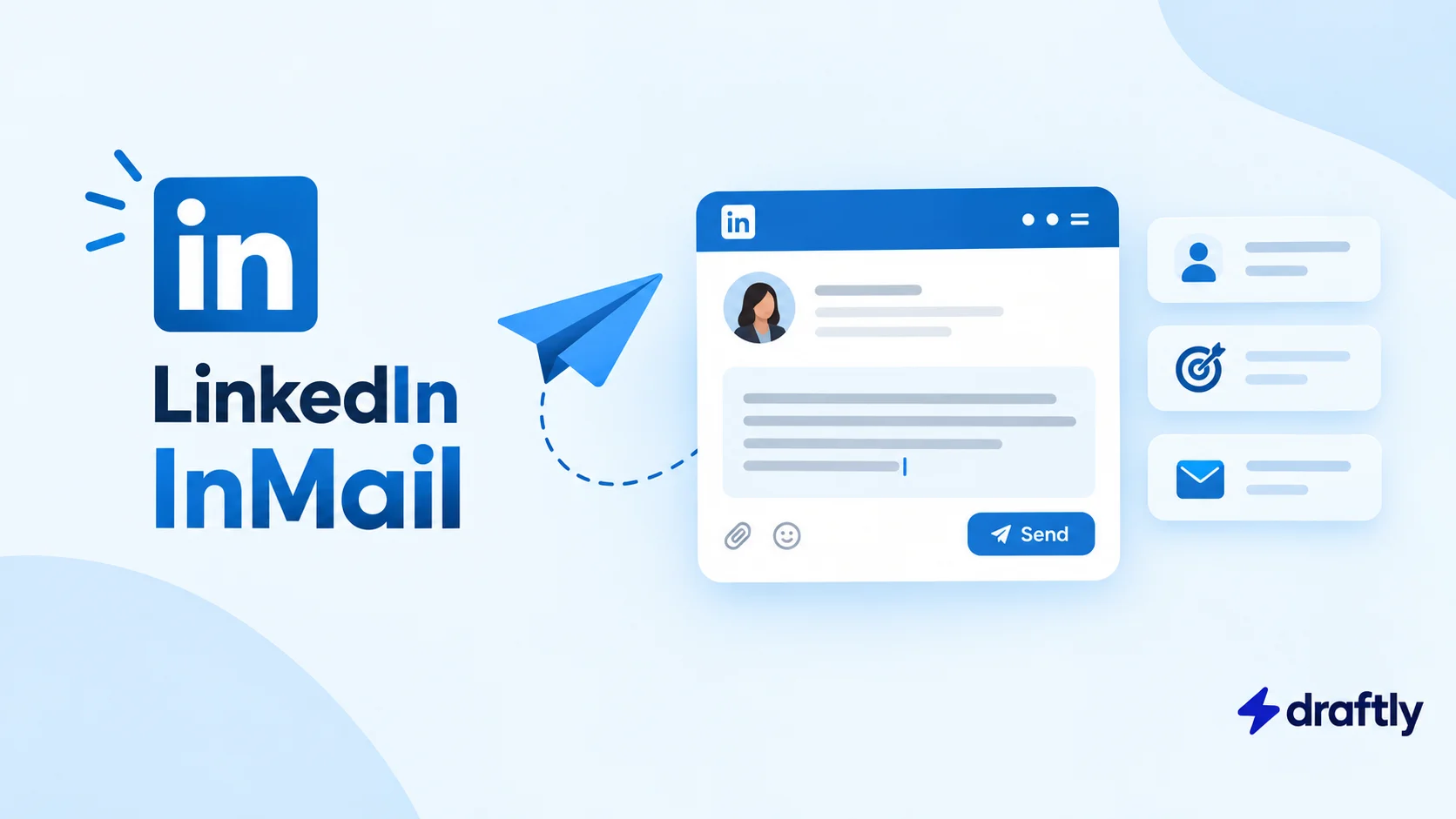
InMail is LinkedIn's paid direct messaging feature. It lets you send a message to someone you are not connected to, without needing their email address, and without waiting for them to accept a connection request first.
Regular LinkedIn messaging only works in a few situations: you are already connected to the person, you both belong to the same LinkedIn Group, or the recipient has switched on Open Profile, which lets anyone message them for free. Outside of those cases, LinkedIn's normal messaging simply will not let you send a note. InMail is the workaround LinkedIn sells for that limitation.
It lands in the recipient's inbox looking almost identical to a regular message, with one difference: LinkedIn tags it as an InMail, so the person on the other end knows it came from someone outside their network.
Takeaway: InMail exists specifically to solve the "I am not connected to this person and cannot message them" problem, and LinkedIn charges for that access through a credit system.
The Three Kinds of InMail
Most explanations of InMail only cover the paid version, but there are actually three, and mixing them up leads to some real confusion.
Paid InMail is the one most people mean when they say "InMail." It draws from a monthly credit allowance tied to a paid LinkedIn subscription: Premium Career, Premium Business, Sales Navigator, or Recruiter. This is what the rest of this guide focuses on.
Free InMail exists in a couple of specific situations. If someone has enabled Open Profile on their account, anyone can message them without spending a credit. The same applies to shared LinkedIn Groups: members of the same group can message each other for free, credit-free, no subscription required.
Sponsored InMail, which LinkedIn now calls Message Ads, is a completely different product. It is bought through LinkedIn's ad platform (Campaign Manager) rather than a personal subscription, and it is built for advertisers to send the same message to a large, targeted audience at once. If you are trying to message one specific person, this is not the tool. It belongs to LinkedIn's advertising suite, not personal outreach.
Takeaway: if someone tells you InMail is expensive or limited, ask which kind they mean. Only the paid, credit-based version has that constraint.
How InMail Credits Actually Work
Every paid LinkedIn tier that includes InMail gives you a set number of credits each month, and the allowance grows with the tier. As of 2026, Premium Career plans tend to sit at the low end, Premium Business a bit higher, and Sales Navigator and Recruiter plans considerably higher again, since they are built around outreach at scale. LinkedIn does adjust these allowances from time to time, so the exact number on your account is worth checking directly in your subscription settings rather than assuming it matches what worked last year.
Two mechanics are worth knowing before you send your first one:
Unused credits roll over, but only up to a point. LinkedIn generally lets you bank a few months' worth of unused credits before older ones expire, so they are not strictly "use it or lose it" every single month, but they are not infinite either.
Credits can come back to you. If the person you message replies within a set window (LinkedIn currently gives this around 90 days), the credit you spent is refunded to your account. This is the detail that makes a well written, relevant InMail meaningfully cheaper in practice than a poorly targeted one that gets ignored.
Takeaway: the real cost of InMail is not the credit itself, it is sending one to the wrong person. A reply gets your credit back; silence does not.
InMail's Character Limits
InMail has its own character rules, separate from a regular post, profile section, or connection request note. The subject line is capped at 200 characters, and the message body allows up to 1,900 characters, roughly the length of a substantial paragraph or two. That is considerably more room than the note you can attach to a connection request, which is part of why InMail suits a slightly more detailed pitch than a quick "let's connect."
InMail vs. a Regular Message vs. a Connection Request
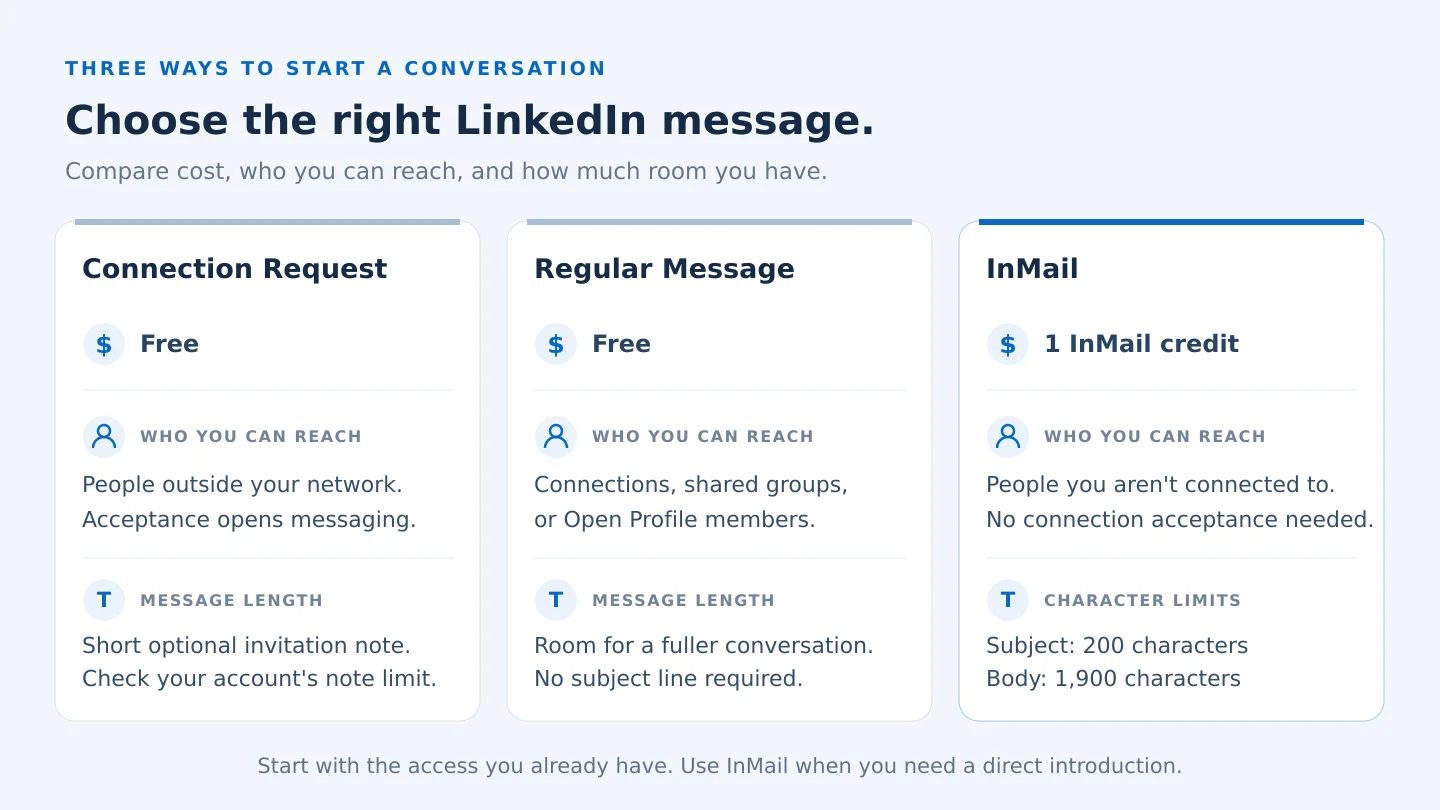
These three get confused constantly, so here is the actual difference between them.
A connection request is free to send, subject to LinkedIn's weekly sending limits, and comes with a short note field. The catch is that the person has to accept before you can message them at all, so a request that gets ignored goes nowhere.
A regular message is also free, but it only works once you are already connected, in a shared group together, or the recipient has Open Profile turned on. There is no way to reach a total stranger this way.
InMail costs a credit, works regardless of whether you are connected, gives you far more characters to work with, and refunds itself if the person replies. The tradeoff is that it is not unlimited the way a connection request effectively is.
Takeaway: think of connection requests as the default, free option, and InMail as the paid shortcut for reaching someone a connection request or a shared group cannot get you to.
Is InMail Actually Worth Paying For?
It depends heavily on who is asking.
If you are mainly building your presence on LinkedIn through content, posting consistently, and growing your network organically, InMail is probably not where your money should go. A thoughtful connection request or a comment on someone's post will usually get you further than a paid message to a stranger, and that effort compounds over time in a way a single InMail credit does not. If it is really the paid plan itself you are weighing, not InMail specifically, whether LinkedIn Premium is worth it is the more useful question to answer first.
If your role involves reaching out to strangers at volume, recruiting, sales, business development, InMail starts to make more sense, particularly on the higher credit tiers built for exactly that work. It also tends to pair well with a proper automation tool for the connection side of your outreach, so InMail and automated connection requests end up working as two parts of the same lead generation strategy rather than either one alone.
Takeaway: InMail is a tool for reaching people you have no other way to reach. If you already have a way in, a warm connection or a shared group, it is rarely the better option.
How to Send an InMail on LinkedIn
- Go to the profile of the person you want to message.
- Look for the Message button. If you are not connected and they do not have Open Profile enabled, LinkedIn will show this as an InMail option instead of a standard message, usually noting how many credits you have left.
- Write your subject line and message body within the character limits.
- Send it. LinkedIn will deduct one credit from your monthly allowance.
- Check back within the refund window. If they reply, your credit returns automatically. If not, that credit is spent.
Takeaway: the sending process itself is simple. The part worth slowing down for is what you actually write.
Writing an InMail People Actually Answer
The biggest difference between an InMail that gets a reply and one that gets ignored is not the subject line trick or the send time, it is whether the message is obviously about the recipient rather than about you.
Here is a short example that follows that principle:
"Hi Priya, I noticed your recent post about scaling support teams during rapid growth, and it lined up closely with a challenge we are solving for right now. I would love to get your take on how you approached staffing that transition, no pitch attached. Open to a short call if you have 15 minutes this month?"
Notice what it does: references something specific and real about the recipient, states a clear and small ask, and does not open with a sales pitch. That structure holds up whether you are reaching out for a sales conversation, a recruiting conversation, or just to build a relationship with someone in your industry.
If you send enough of these to want more structures to work from, a few messaging templates for sales cover this kind of first-touch outreach in more depth.
Takeaway: an InMail that reads like it was written for one specific person will always outperform one that could have been sent to anyone.
Conclusion
InMail is not complicated once you separate the three versions of it and understand the credit mechanics behind the paid one: a limited monthly allowance, a refund if someone replies, and character limits that give you more room than a connection request note. Whether it is worth using comes down to whether you actually need to reach people you have no other way to reach.
If keeping your outreach and your content consistent feels like the bigger challenge day to day, Draftly's free plan can help you plan and schedule the LinkedIn presence that makes people want to reply to you in the first place, InMail credit or not.