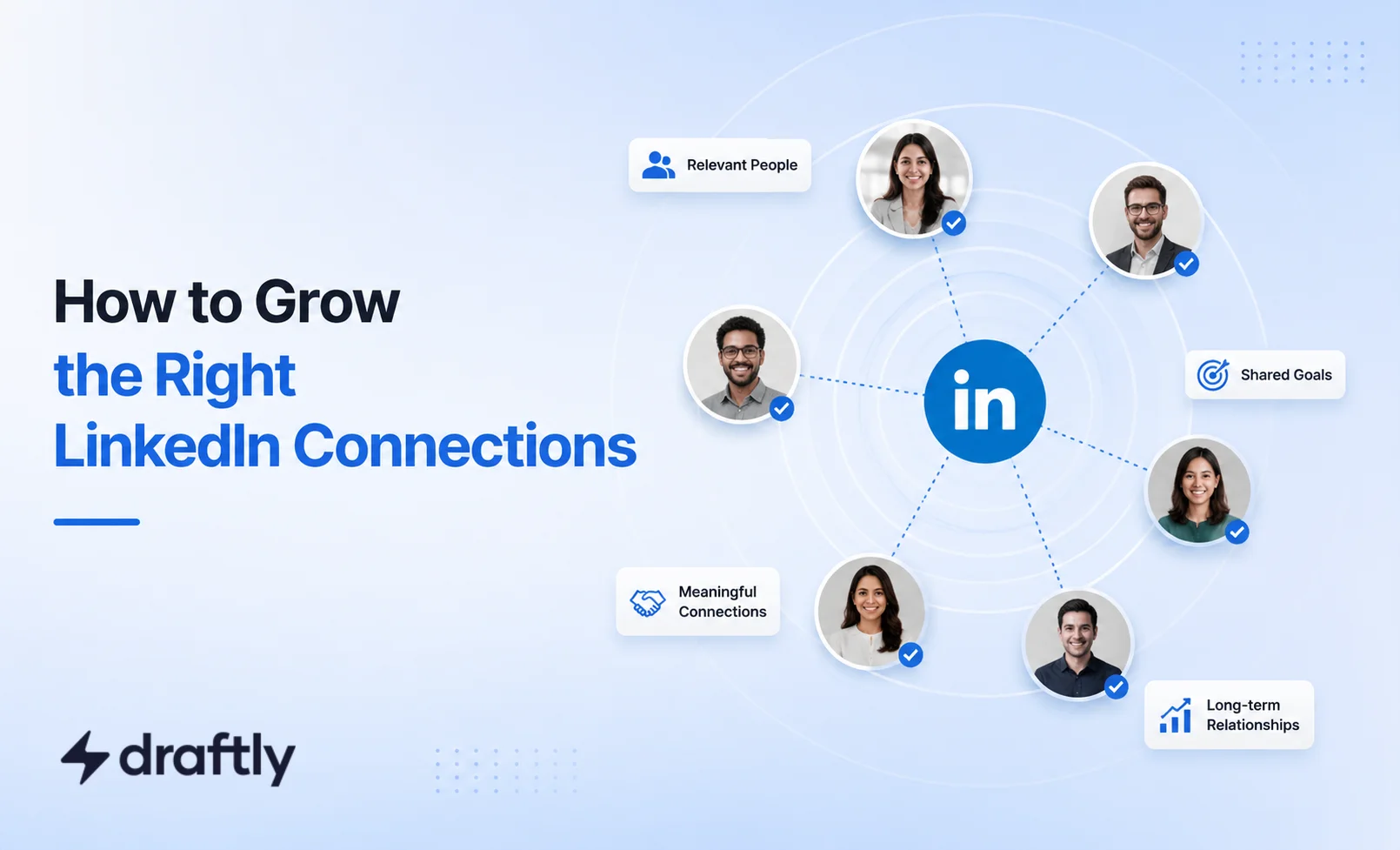
You could have 5,000 LinkedIn connections and still feel invisible on the platform. That's not bad luck. It's math. A network built on quantity instead of relevance will always underperform a smaller one built on people who actually engage with you.
Most advice on this topic pulls in one of two unhelpful directions: add everyone in sight, or obsess over hitting a round number like 500 or 1,000. Neither actually helps. This guide covers what LinkedIn connections really are, how many you actually need, the limits most people don't know exist until they hit one, whether you should accept every request that lands in your notifications, and how to grow a network that works for you instead of just padding a number.
What Are LinkedIn Connections, Exactly?
A LinkedIn connection is a mutual link between two profiles, made when one person sends a request and the other accepts. Once connected, you can message each other directly, see more of each other's activity in the feed, and appear in each other's network for introductions.
LinkedIn uses connection degrees to show your network distance: 1st-degree means you're directly connected, 2nd-degree means you share a mutual connection, and 3rd-degree means the person is connected to one of your 2nd-degree connections.
For a detailed explanation of these labels and your messaging options, read What Does 1st, 2nd, and 3rd Mean on LinkedIn? Here, we’ll focus on building and managing a relevant network.
Connections vs. Followers: The Short Version
People use "connections" and "followers" interchangeably, but LinkedIn treats them differently. Connections are a two-way relationship where you can message each other directly, while followers are a one-way subscription to your posts. Every connection automatically follows you, but not every follower becomes a connection, which is why the two numbers on your profile so rarely match.
That distinction matters more than it looks. A recruiter who follows you can see your posts but can't message you directly, while a recruiter you're connected with can reach out any time, which is often the real difference between being seen and being contacted. For the fuller picture, including which one LinkedIn's algorithm actually favors, see how LinkedIn followers and connections really differ.
Takeaway: don't optimize for one number at the expense of the other. They serve different goals.
How Many LinkedIn Connections Do You Actually Need?
There's no magic number, but here's a practical way to think about it:
0 to 100 connections: You're just getting started. Focus on connecting with people you actually know, like colleagues, classmates, and clients, to build a credible foundation.
100 to 500 connections: This is where most active professionals land. It's enough to show up in searches and get warm introductions, without your feed turning into noise.
500+ connections: Once you pass 500, LinkedIn simply displays "500+" instead of an exact count, a signal to visitors that you're an established, active user. Many professionals treat 500 as a soft milestone for this reason.
1,000+ connections: Useful for recruiters, salespeople, and anyone whose job depends on wide reach. Beyond this, quality control becomes more important than the number itself.
The right target really does depend on what you're using LinkedIn for. A freelance consultant relying on referrals often gets more from 300 tightly relevant connections than 3,000 random ones, since referrals travel through people who actually know the work. A recruiter sourcing across industries benefits from going wider almost by definition. Neither approach is wrong. They're optimizing for different things.
If you're specifically job hunting, there's a reason career coaches keep coming back to that 500 mark: several surveys and coaching write-ups have linked a network of 500+ connections to noticeably more recruiter outreach and warm introductions, since a bigger 1st-degree network means more paths for a hiring manager to reach you through someone you already know. Treat that as a directional data point rather than a rule. It's still about who's in your network, not just how many.
Takeaway: aim for a network size that matches your goals. A job seeker and a B2B sales rep have very different "right" numbers.
LinkedIn Connection Limits: What You Need to Know
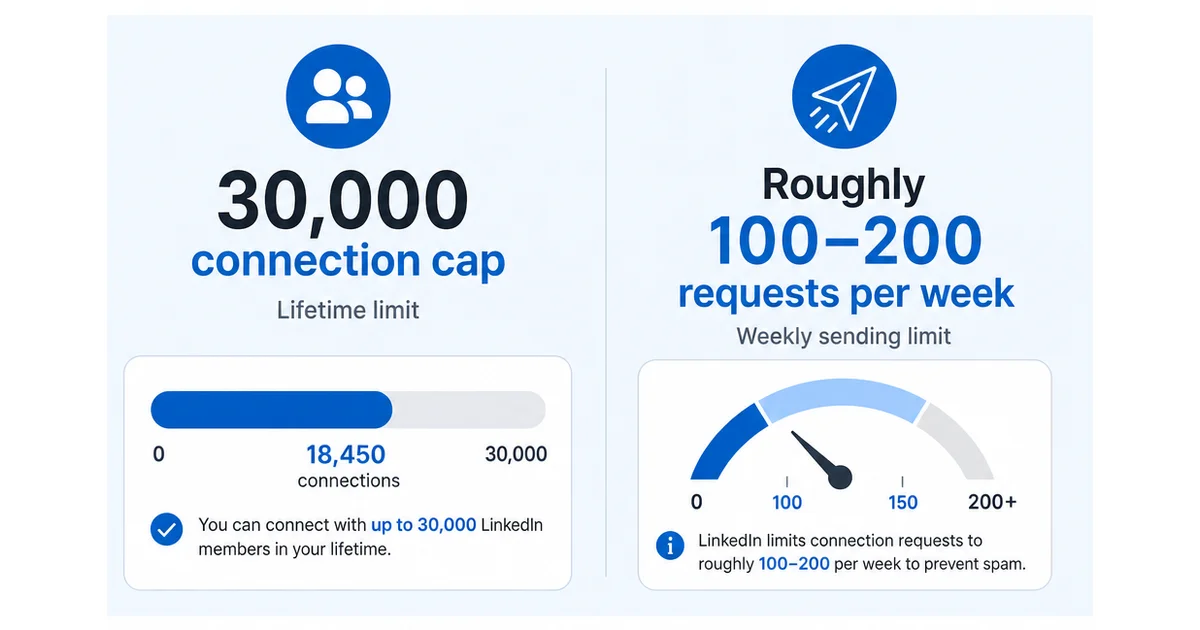
There are actually two different limits at play, and mixing them up is where most of the confusion online comes from.
The lifetime cap: 30,000 connections. LinkedIn caps every account at 30,000 1st-degree connections total. In practice, this only affects accounts that have been connecting aggressively for years, often for lead generation. Almost no one runs into it through genuine networking, but if you're anywhere near it, your profile's default button switches to Follow, since there's no cap on followers and you can no longer accept new connection requests until you remove some existing ones.
The weekly sending limit: roughly 100 to 200 requests. This is the one that actually trips people up, and it's separate from the lifetime cap. LinkedIn caps how many connection requests you can send on a rolling basis, generally landing somewhere around 100 requests a week for standard accounts, with Sales Navigator and highly active, well-optimized profiles sometimes able to send closer to 200 to 250. It's not a fixed Monday-reset limit either: LinkedIn tracks a rolling window from your first request in a batch, so a large batch today reduces what you can send over the next several days, not just this calendar week.
Signs you're bumping up against it:
- LinkedIn suddenly asks you to confirm the recipient's email before you can connect, a common early throttle signal.
- You see a banner warning that you're sending invitations too quickly.
- Requests you send stop landing until a "weekly limit reached" message appears outright.
If this happens, the fix isn't to push through it. Stop sending new requests, let your account rest, and come back at a lower volume. A backlog of ignored invitations, especially ones marked "I don't know this person," hurts your standing more than the raw count you've sent, so withdraw anything unanswered after a few weeks. Note that LinkedIn generally won't let you re-send to the same person for a few weeks after a withdrawal, so don't withdraw and immediately re-invite the same list.
Takeaway: the 30,000 lifetime cap is a lead-gen problem most people never see. The weekly sending limit is the one that actually affects everyday networking, so pace your requests instead of batch-sending a list all at once.
Should You Accept Every Connection Request?
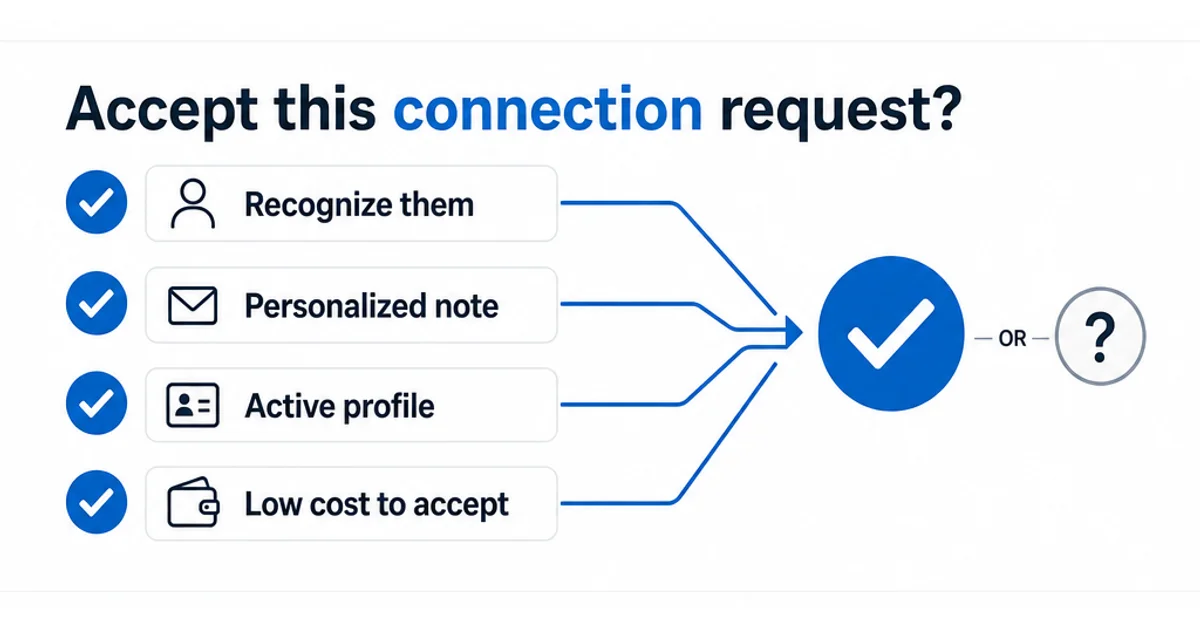
Growing your network isn't only about the requests you send. Every "Accept" or "Ignore" on an incoming request shapes your network just as much, and it's the half of this conversation most guides skip entirely.
There's no single right answer, but a few questions make the decision faster:
Do you recognize the name, the company, or a mutual connection? Someone in your industry, a former colleague, or a request with several mutual connections is usually safe to accept even without a note.
Did they send a personalized note? It doesn't guarantee quality, but a specific, relevant note is a good sign the person actually looked at your profile rather than mass-sending requests.
Is their profile active and complete? No photo, a headline that's just a job title, and no recent activity usually points to a low-effort networker, a recruiter working a numbers game, or occasionally a fake account built to scrape data or spam DMs.
Does connecting actually cost you anything? For most people, no. Your feed and reach are shaped far more by who you engage with than by your total connection count, so accepting broadly rarely dilutes anything. The exception is a deliberately curated circle, like private client work, where every new connection sees more of your activity than a stranger normally would.
If you're on the fence, remember accepting isn't actually all-or-nothing. You can decline a connection request but still follow that person, or the reverse, so you're not choosing between "full access" and "nothing."
Takeaway: being selective about who you accept matters less than most people think. Being selective about who you actually engage with after connecting matters a lot more.
How to Grow LinkedIn Connections That Actually Matter
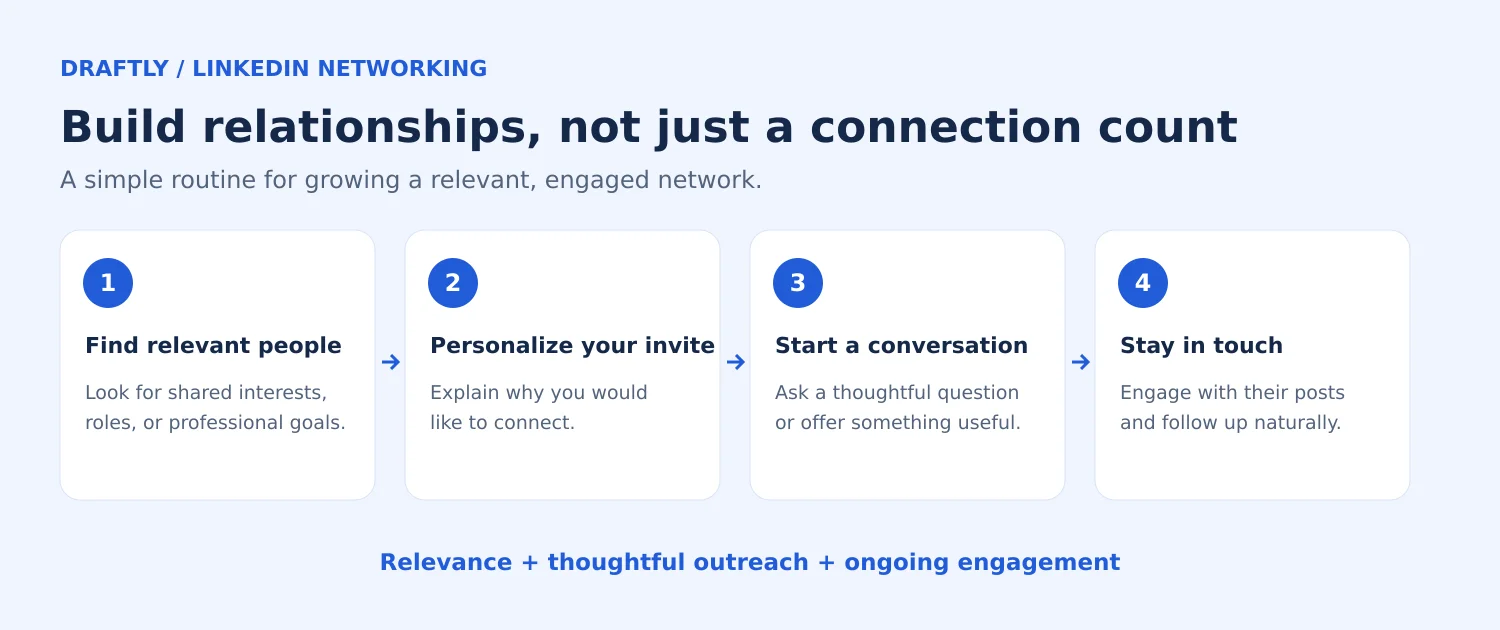
Growing your network isn't about clicking "Connect" as often as possible. It's about pacing yourself within the limits above, being specific about who you reach out to, and giving people an actual reason to say yes. Here's how to do it in a way that compounds over time instead of stalling out at 200 ignored requests.
- Send personalized requests. A blank connection request gets ignored or forgotten. A quick note gets remembered. Try something like:
"Hi [Name], I saw your comment on [topic] and really agreed with your take on [specific point]. Would love to connect and follow more of your posts."
- Engage before you connect. Comment on a post, reply to something they wrote, or reference a shared interest. People accept requests from names they already recognize, and a comment does that work before your request ever lands. This comment-first, connect-second, ask-later sequence is the whole approach behind networking on LinkedIn without it feeling like a pitch.
- Post content that attracts the right people. Your posts do a lot of the recruiting for you. The right piece of content pulls in people who are already interested in what you do, so they show up asking to connect instead of the other way around. Consistency here is really an extension of building your personal brand on LinkedIn, since the people who find your content worth following are usually the same people worth having in your network.
- Set a weekly target instead of a total. Rather than mass-sending requests, identify 5 to 10 people a week in your industry or target audience and reach out with a real reason for each one. This also naturally keeps you well inside the weekly sending limit covered above, so you're building a habit that doesn't risk a restriction later.
- Clean up pending invites regularly. A request sitting unanswered for weeks does nothing for your network and quietly eats into your weekly sending capacity. Withdraw anything stale on a monthly cadence rather than letting it pile up. If you're managing outreach at real scale, recruiting or sales rather than personal networking, some of the tools in this roundup of LinkedIn automation tools are built specifically to pace requests within LinkedIn's limits instead of risking a restriction.
Takeaway: every connection request is a small first impression. Treat it like one.
LinkedIn Connection Mistakes That Quietly Hurt Your Network
A few habits that feel harmless but chip away at your network's value over time:
- Sending generic, copy-pasted requests. They have noticeably lower acceptance rates and make your outreach look automated.
- Connecting and disappearing. If you never engage after connecting, LinkedIn's algorithm has no reason to show your content to that person.
- Chasing round numbers. Hitting "500+" or "1,000+" feels good, but a network full of disengaged strangers won't help you get seen, referred, or hired.
- Ignoring pending requests for months. A backlog of unanswered invites makes your profile look inactive, which quietly hurts your visibility. Staying responsive to your network is as much a part of building a personal brand on LinkedIn as posting regularly is.
- Batch-sending requests to beat the weekly limit. Firing off a large list in one sitting is exactly the pattern LinkedIn's spam detection is tuned to catch, and it's a faster route to a temporary restriction than to a bigger network.
Takeaway: a smaller, responsive network will always outperform a large, silent one.
Conclusion
Your LinkedIn connection count isn't the goal. It's a byproduct of building real relationships with the right people, pacing your outreach within the limits LinkedIn actually enforces, and being just as thoughtful about who you accept as who you pursue. Get those three things right and the number on your profile takes care of itself.
If you want to spend less time figuring out what to post and more time on the outreach that actually grows your network, Draftly's free plan can help you keep a consistent posting rhythm that makes people want to connect with you in the first place.