If you've run a Sponsored Content campaign on LinkedIn and noticed your reach numbers climbing faster than your budget seemed to justify, LinkedIn Audience Network is probably why. It's a setting most advertisers never touch, and a lot of them don't even know it's on.
Here's what it actually does, where your ads end up when it's active, and when you're better off leaving it switched off.
What Is LinkedIn Audience Network?
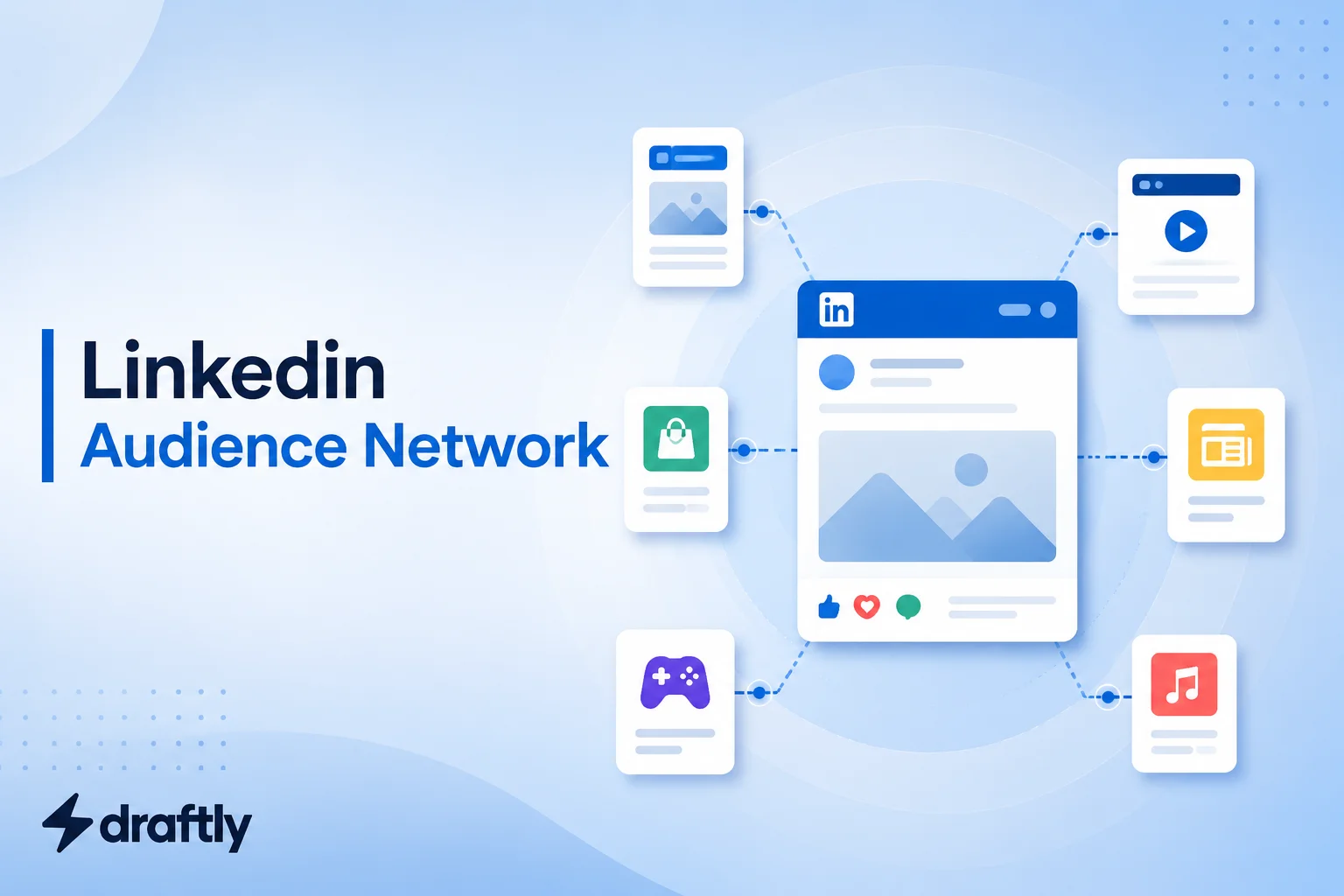
LinkedIn Audience Network, usually shortened to LAN, extends your Sponsored Content ads beyond LinkedIn itself and onto a curated group of third-party apps and websites. LinkedIn doesn't sell this inventory directly. Instead, it partners with outside ad exchanges to place your ad in front of the same professional audience while they're browsing elsewhere, on a news site, a mobile app, or another platform entirely.
The targeting you set up in your original campaign carries over. If you built an audience around job title, industry, and company size, that same audience follows your ad off LinkedIn. You're not setting up a second campaign, you're just extending the one you already have, which is part of a broader LinkedIn B2B marketing strategy rather than a standalone tactic.
Takeaway: think of LAN less as a new ad product and more as a reach multiplier bolted onto a campaign you've already built.
How LinkedIn Audience Network Actually Works
When you launch a Sponsored Content campaign using single-image, carousel, or video ads, LAN is typically switched on by default. From there, LinkedIn's system decides which of its partner sites and apps are a good match for your audience and creative, and your ad gets served there using the same targeting and bid you already set.
It doesn't cost extra to have it on. You're paying for the same clicks or impressions either way, LinkedIn is just sourcing some of them from outside its own platform instead of all of them from the feed.
Text ads and Message Ads generally aren't eligible for this kind of extension, since those formats depend on LinkedIn's own inbox and sidebar placements. If you're weighing formats for a B2B push, it's worth reading through LinkedIn ad formats for B2B first, since which format you pick decides whether LAN is even relevant to your campaign.
Takeaway: LAN rides on top of an existing image, carousel, or video campaign. It isn't a separate thing you buy.
What You Actually Get From Turning It On
The reach numbers get cited a lot, and for good reason. Advertisers running LAN alongside a standard campaign have reported meaningful lifts, sometimes a double-digit percentage jump in unique impressions and a much bigger jump in unique clicks, since your ad is now competing in a less crowded auction outside LinkedIn's own feed. Some advertisers see their overall reach expand by roughly a quarter compared to running LinkedIn-only.
There's a cost-efficiency angle too. Because the auction on partner sites tends to be less competitive than LinkedIn's own feed, cost per click can actually come down when LAN is active, which matters if your campaign is optimized for awareness rather than a hard conversion goal.
Takeaway: LAN is genuinely good at making your budget stretch further in terms of raw reach, but reach isn't the same thing as qualified leads, which is the catch covered next.
Where the Trade-Off Comes In
Here's the honest part most vendor pages gloss over. Someone scrolling LinkedIn is in a professional headspace, actively reading posts about their industry. Someone scrolling a news app or checking their inbox on a partner site is not in that same mindset, even if they technically match your target job title and industry.
That mismatch shows up in the numbers. Several agencies running LAN campaigns report lower conversion quality from network placements compared to LinkedIn's own feed, along with less visibility into exactly which sites or apps are driving results. You get the reach, but you lose some precision, and it's genuinely harder to audit where a specific click actually came from.
This is why LAN tends to work best for awareness and top-of-funnel campaigns, and worse for anything you're judging purely on cost per qualified lead. If lead quality is the priority, it's worth reading up on lead generation on LinkedIn more broadly before deciding how much of your ad budget should flow through the network versus staying on-platform.
Takeaway: treat LAN as a brand-awareness lever, not a lead-generation shortcut, and judge its results by a different metric than the rest of your campaign.
How to Enable or Disable LinkedIn Audience Network
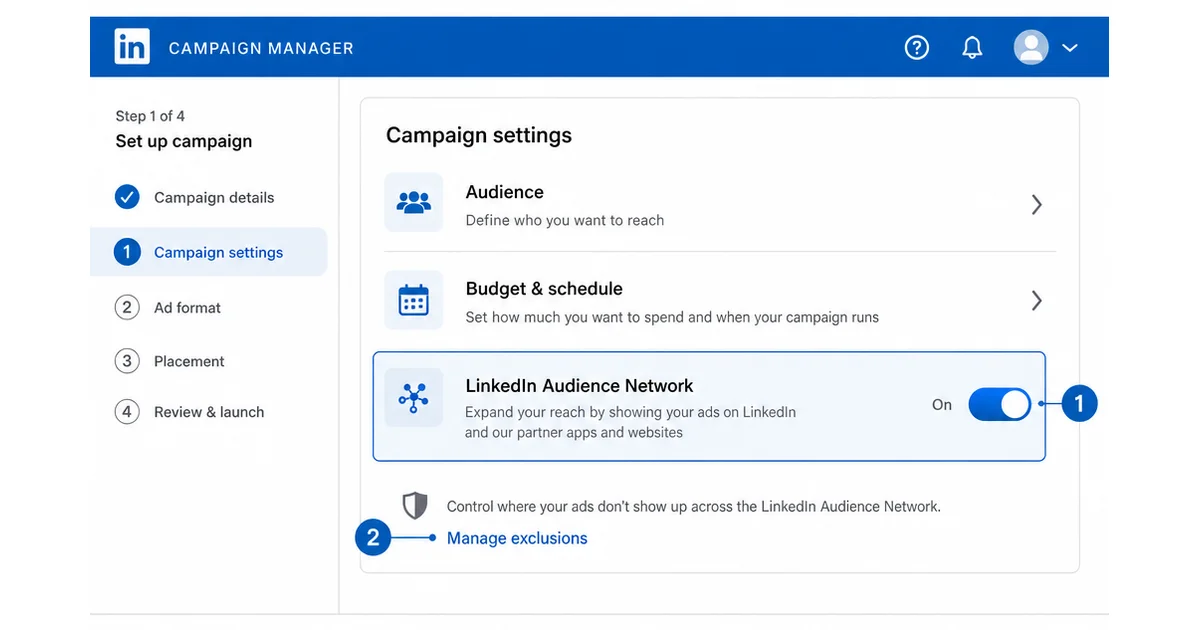
You control this setting inside Campaign Manager, at the campaign level, not the account level.
- Open your Sponsored Content campaign in Campaign Manager, either while creating a new one or editing an existing image, carousel, or video campaign.
- Find the Audience Network toggle, usually listed near your budget and audience settings during campaign setup.
- Switch it on or off depending on whether you want this specific campaign to run beyond LinkedIn.
- Add exclusions if you're keeping it on. LinkedIn lets you block specific apps, sites, or content categories so your ad doesn't show up somewhere off-brand.
- Check performance separately. Campaign Manager reports let you break results down by LinkedIn versus network placements, so you can see whether the extra reach is actually converting.
Takeaway: the setting itself takes seconds to change. The judgment call is deciding, campaign by campaign, whether it belongs on.
Best Practices If You Decide to Use It
A few habits separate advertisers who get real value from LAN from those who just burn budget on it.
- Run it as a test first. Split a portion of your budget into a LAN-enabled campaign and compare it directly against an identical LinkedIn-only version before committing your full spend.
- Build an exclusion list early. Block obviously irrelevant categories and any specific publishers that don't fit your brand before you launch, not after you've already spent against them.
- Keep creative simple and adaptable. Ads get reformatted automatically for different partner placements, so avoid cramming in small text or dense overlays that might not survive the resize. If you're managing several creative variations at once, a good LinkedIn marketing tool built for version control saves a lot of back and forth.
- Track it against a different goal than your core campaign. Judge network performance on impressions and brand reach, not the same cost-per-lead target you'd apply to your LinkedIn feed placements.
- Reassess every few weeks. Which sites and apps perform well can shift, so a quarterly review of your exclusion list keeps the placements relevant.
Takeaway: LAN rewards advertisers who treat it as its own mini-experiment rather than a switch you flip and forget.
Conclusion
LinkedIn Audience Network isn't a trick or a gimmick, it's a legitimate way to stretch a Sponsored Content campaign's reach beyond LinkedIn's own feed, at no extra cost. The trade-off is real too: more impressions and clicks, but generally softer engagement than what you get on-platform.
Test it deliberately, watch the network performance separately from your core campaign, and decide from there whether it earns a permanent spot in your setup. And if the harder problem is keeping your organic LinkedIn presence consistent while you're busy managing ad campaigns, Draftly's free plan can help you keep that side running without it becoming a second job.