Let's be honest about something first. Most B2B ads on LinkedIn are boring. Stock photo of people shaking hands, a headline like "Unlock Your Business Potential," a button that says "Learn More." You've scrolled past a hundred of them without even registering they existed.
That's the bar you're competing against, which is actually good news. It means you don't need a huge budget or a slick agency to stand out. You need a clear offer, the right audience, and creative that sounds like a person wrote it. This guide covers all three, plus the setup, targeting, and budgeting decisions that determine whether your ad spend turns into real pipeline or just a line item nobody wants to explain in the next budget meeting.
Why LinkedIn Ads Actually Work for B2B
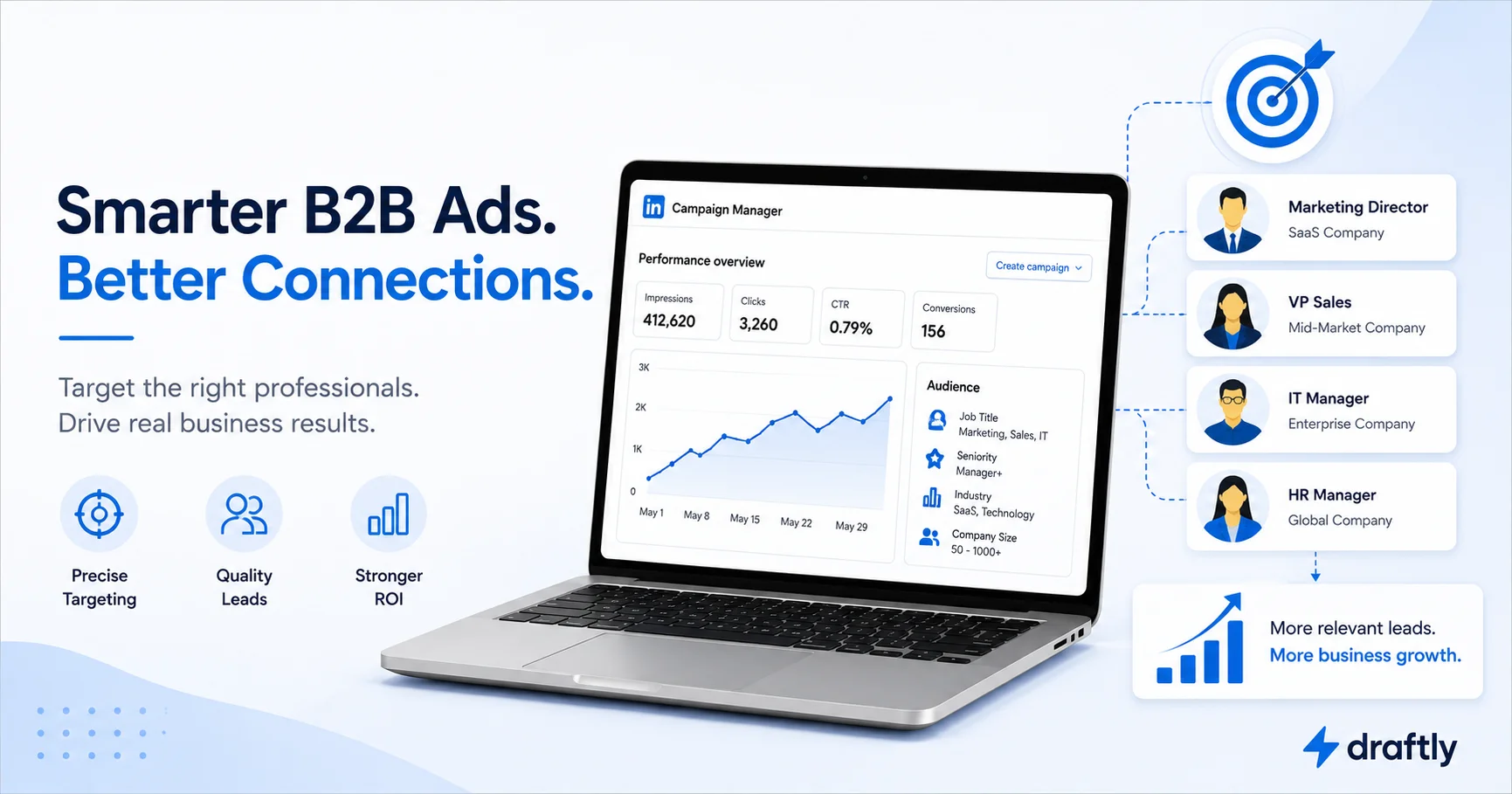
Here's the thing that makes LinkedIn different from basically every other ad platform: the targeting data is professional by default. Job title, seniority, company size, industry, skills people have actually listed on their profile. You're not reverse-engineering someone's job from their browsing habits. You just... know it, because they told LinkedIn themselves.
That precision comes at a price. Clicks on LinkedIn tend to cost more than clicks on Meta or Google. If you're used to those platforms, your first look at LinkedIn's Campaign Manager might make you wince a little. But the trade-off is real: fewer, more expensive clicks from people who are actually in a position to buy what you're selling, instead of a flood of cheap traffic that never converts.
Think of it less like advertising and more like a very targeted introduction. You're not trying to reach everyone. You're trying to reach the fifty people at the right companies who can actually say yes.
LinkedIn Ads vs. Other Platforms for B2B
If you're weighing where to put your first ad dollars, it helps to know what LinkedIn is and isn't good at.
- LinkedIn wins on targeting precision. No other major platform lets you filter by job function, seniority, and company size all at once with this level of accuracy.
- LinkedIn loses on cost efficiency. You'll generally pay more per click and per lead than you would running similar campaigns on Meta or Google.
- Google Ads wins on intent. Someone searching "best project management software for agencies" is closer to buying than someone scrolling their LinkedIn feed.
- Meta wins on volume and creative flexibility. If your buyer also happens to be a consumer (which, let's face it, every B2B buyer is also a regular person), Meta can reach them cheaper, just with far less professional context.
None of this means pick one and ignore the rest. Most B2B teams that get real results run LinkedIn for the account-based, high-value targeting work, and lean on other platforms for volume and retargeting. LinkedIn is rarely your only channel. It's your precision instrument.
LinkedIn Ad Formats for B2B
Before you touch a single targeting field, pick the format that matches what you're actually trying to accomplish. Here's how they break down in practice:
Sponsored Content (single image, carousel, or video). This is the ad that shows up natively in someone's feed, sitting right between a coworker's promotion announcement and an article someone shared. It's your best bet for top-of-funnel awareness, promoting a piece of content, or just staying visible to people who aren't ready to talk to sales yet.
Message Ads (formerly Sponsored InMail). These land straight in someone's LinkedIn inbox, which sounds intrusive but actually performs well when the offer feels personal, closer to a well-written cold outreach message than a corporate blast. Keep these short. Nobody wants a sales pitch disguised as a DM that reads like a press release.
Text Ads. Small, sidebar-style ads that show up on desktop only. Cheap, low-effort, and honestly a little dated-looking, but useful for retargeting or for testing messaging on a tiny budget before you commit real spend elsewhere.
Dynamic Ads. These auto-personalize using the viewer's own profile photo and name. A little uncanny the first time you see one with your own face on it, but effective for follower campaigns or event promotion because they genuinely grab attention.
Lead Gen Forms. These auto-fill using the viewer's LinkedIn profile data, which means someone can submit their info in two taps instead of typing everything into a landing page form. If your goal is capturing leads directly, this is usually your highest-converting option. Just remember that capturing the lead is only half the job. How you follow up matters just as much, and our LinkedIn lead generation guide covers the nurture side of that equation.
Document Ads. People can preview and download a PDF (a report, a whitepaper, a deck) right inside the feed without leaving LinkedIn. Great for gated content campaigns when you want the download experience to feel effortless.
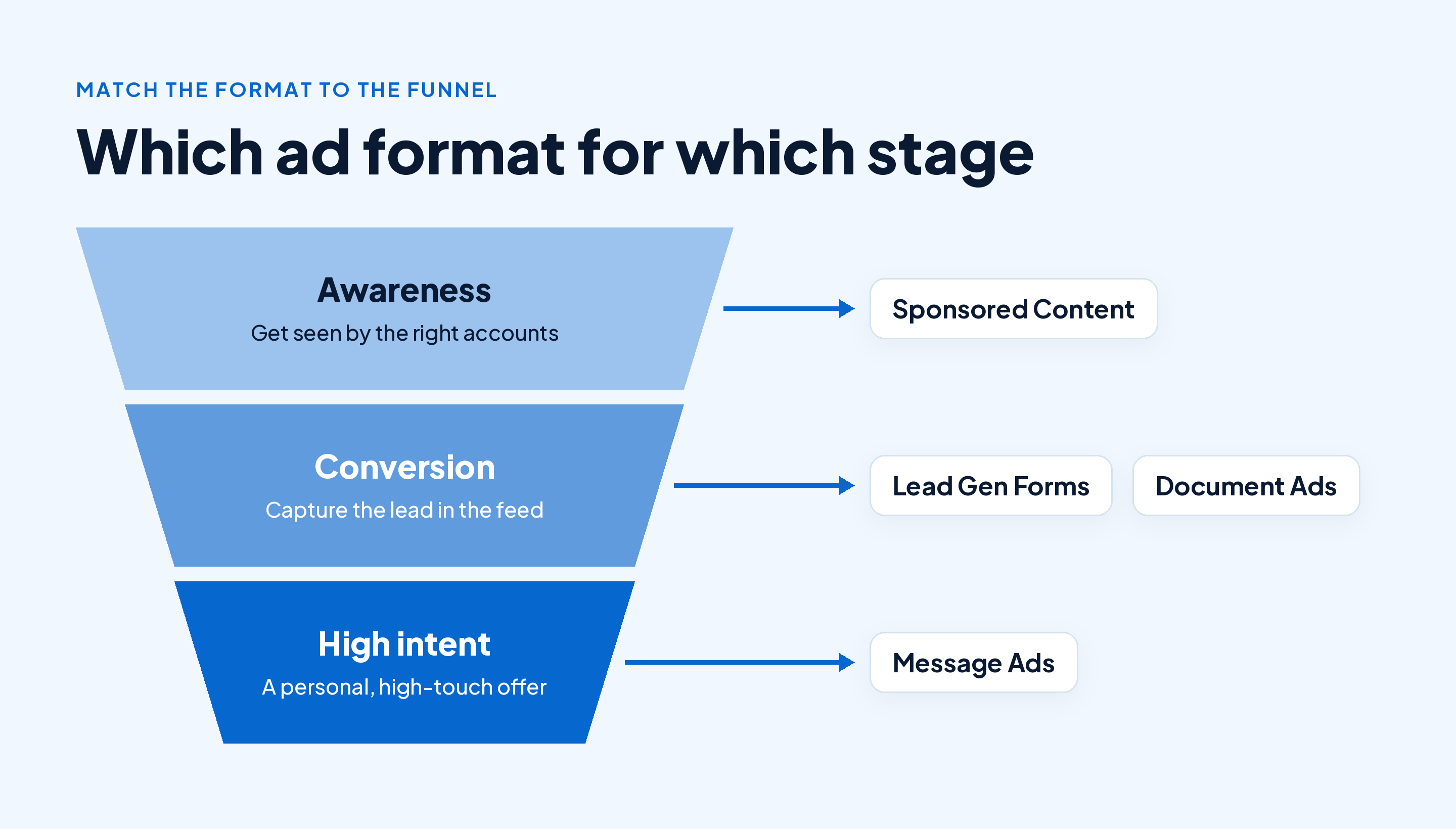
The quick takeaway: match the format to the funnel stage. Sponsored Content for awareness, Lead Gen Forms and Document Ads for conversion, Message Ads for the high-intent, high-touch offers worth a more personal approach.
How to Set Up Your First LinkedIn B2B Ad Campaign
If you've never run ads on LinkedIn before, here's the path, step by step, without the jargon.
- Get your Company Page in shape first. You need an active page to run ads from, and a half-finished page undercuts your ad before it even runs. If yours needs work, our guide on creating a LinkedIn business page walks through it.
- Create a Campaign Manager account and pick your objective (awareness, consideration, or conversion). Be honest about which one actually matches what you need right now.
- Define your audience using job title, industry, company size, and seniority. Start narrower than feels comfortable. You can always widen it later.
- Choose your ad format based on the funnel stage you're actually targeting, not the one that looks flashiest.
- Set your budget and bidding strategy. A daily budget with a bid cap is the safest starting point for a first campaign.
- Launch with two or three creative variations. A single ad gives you nothing to compare against and no way to learn.
- Check performance after the first week and cut whatever's clearly underperforming before you scale spend on the winners.
Quick takeaway: don't launch one ad and cross your fingers. Launch a small test with real variation built in, and let the numbers, not your gut, tell you what to scale.
Targeting Best Practices for B2B Audiences
The single biggest mistake B2B advertisers make on LinkedIn is targeting too broadly because a bigger audience number feels safer. It isn't. A few things that consistently help:
- Layer your targeting instead of picking one filter. Job function and seniority and company size together will always beat any single filter on its own.
- Exclude your own employees and current customers so you're not quietly spending budget showing ads to people who already know you.
- Use Matched Audiences to retarget site visitors, or upload a target account list if you're running account-based marketing. This is where LinkedIn genuinely pulls ahead of most other platforms.
- Keep your audience size in a sane range. Go too narrow and you'll burn your whole budget reaching the same forty people over and over. Go too broad and you lose the exact precision you're paying LinkedIn a premium for.
Quick takeaway: precision targeting is the entire reason LinkedIn ads are worth the higher cost. Don't trade it away just to make the audience estimate number look bigger.
Budgeting and Bidding for LinkedIn B2B Ads
LinkedIn costs more than most platforms, full stop, so it pays to be deliberate about budget from day one.
- Start with a daily budget, not a lifetime one, so you can react quickly the moment something isn't working instead of finding out three weeks later.
- Test with a modest budget first. Enough to gather real signal across two or three audience segments, not so much that a flop feels like a disaster.
- Watch cost per lead, not cost per click. A more expensive click that actually converts is worth far more than a cheap one that goes nowhere.
- Reallocate weekly, not monthly. B2B sales cycles move slowly, but ad performance signals show up fast, so there's no reason to wait a full month to adjust.
Quick takeaway: treat your first few weeks as paid research, not a performance campaign. You're buying information about what works before you're buying leads.
Ad Creative That Actually Works for B2B
B2B creative has a reputation for being dry, and honestly, a lot of it earns that reputation. It doesn't have to be that way. A simple structure that tends to perform well:
Hook, then problem, then proof, then a clear ask.
Here's what that looks like for a project management tool:
"Your team's status meeting is 45 minutes of people reading a spreadsheet out loud. Our dashboard replaces it with a live view your whole team checks in five minutes. One client cut their meeting time in half in the first month. Try it free."
And here's a version for a sales intelligence platform:
"You're not losing deals because your reps aren't good. You're losing them because they're prospecting the wrong accounts. See how [Client] booked 40% more qualified meetings by fixing their targeting, not their pitch."
Notice both open with something relatable, back it up with a specific, real result, and end with something easy to act on. That structure holds up whether you're promoting a demo, a webinar, or a gated report.
If your brand voice and positioning still feel a little unsettled, it's worth sorting that out before you spend on ads. Our guide to building a B2B brand on LinkedIn is a good companion piece here, since strong creative gets a lot easier once you know what your company actually sounds like.
Quick takeaway: specific, proof-backed copy beats generic "innovative solution" language every time. Say the real thing your product does for a real kind of customer, and skip the buzzwords.
Common LinkedIn B2B Ad Mistakes to Avoid
- Running only one ad. Without variation, you have no baseline and no way to tell what's actually working.
- Ignoring organic while you pour money into paid. Ads amplify a page people are already checking out after they click, so pairing spend with an effort to grow your business page organically tends to lift both.
- Sending every click to your homepage. Match the landing page to the specific offer in the ad, or you'll lose people right at the finish line.
- Setting it up once and never checking back. LinkedIn ad performance shifts week to week, and campaigns left alone quietly waste budget.
- Chasing clicks instead of leads. A cheap click that never turns into a conversation isn't actually cheap. It's just slow to realize it's expensive.
Quick takeaway: most wasted LinkedIn ad spend comes down to a mismatch, wrong audience, wrong landing page, or no variation to learn from, rather than the platform itself being a bad bet.
Measuring What's Actually Working
It's easy to get lost in Campaign Manager's dashboard. Keep your eye on a short list instead of everything it throws at you:
- Click-through rate (CTR) tells you whether your creative and targeting are actually relevant to the people seeing them.
- Cost per lead (CPL) is the number that genuinely determines your ROI, more than any other single metric here.
- Conversion rate on your landing page or form. A low number here usually means a messaging mismatch, not a targeting problem, so check your copy before you touch your audience settings.
- Lead quality, tracked downstream in your CRM, because a cheap, high-volume lead that never closes was never actually a good lead.
- Raw impressions, which look great in a slide deck but say nothing about pipeline on their own. If growing your organic reach alongside paid is part of the plan, our guide on increasing LinkedIn impressions is worth a look too.
Quick takeaway: impressions look great in a slide deck, but cost per lead and downstream conversion are what actually tell you whether the campaign worked.
Where This Fits in Your Bigger LinkedIn Strategy
Ads are one piece of a larger picture, not the whole thing. If you're building out your full approach to LinkedIn as a B2B channel, meaning content, organic growth, and paid working together, our LinkedIn B2B marketing guide covers the broader strategy this playbook plugs into.
Conclusion
LinkedIn ads reward precision over volume. A narrow, well-targeted audience paired with creative that speaks to one specific problem will beat a broad campaign with generic messaging almost every time. Start small, test real variations, and let cost per lead, not cost per click, decide where you scale from here.
If you're juggling both the organic and paid sides of your LinkedIn presence, Draftly can help you plan and schedule the content that makes your ad spend actually work, so the page someone lands on after clicking your ad isn't sitting there half-finished.