Most people who say they're "prospecting" on LinkedIn are really just connecting with anyone who vaguely fits their target market, then wondering why half their messages go unanswered. That's not prospecting. That's guessing, dressed up as a strategy.
Real prospecting is the unglamorous part that happens before you write a single message: figuring out exactly who's worth reaching out to, and building a list you can actually stand behind. Skip it, and even a strong message gets ignored. Get it right, and your reply rate stops depending on luck.
This is the first real step in a working LinkedIn lead generation strategy, the part that happens before any message gets written. Here's how to actually do it, not just fill a spreadsheet with names.
What LinkedIn Prospecting Actually Means
Prospecting and outreach get lumped together constantly, but they're two separate jobs. Prospecting is finding and qualifying the right people. Outreach is what you say to them once you've found them.
Treating these as one step is a big part of why so many LinkedIn campaigns underperform. A well-written message sent to the wrong person still gets ignored, no matter how good the messaging is. A slightly awkward message sent to the right person, someone who's already a fit and already paying attention, has a real shot.
Takeaway: the list comes first. Everything after it, your message, your follow-up timing, your sequencing, only works if the people on it were worth contacting in the first place.
Start With a Real Ideal Customer Profile
You can't qualify a prospect against a target market that only exists in your head. Before you touch LinkedIn's search bar, write down the actual criteria that make someone worth contacting.
Role and seniority. Are you looking for the person who uses the product, the person who approves the budget, or both? Those are often two different messages entirely.
Company size and industry. A pitch that works for a 20-person startup rarely lands unchanged with a 2,000-person enterprise, and vice versa.
Signals of active need. Recent job changes, hiring sprees, funding announcements, or public complaints about the exact problem you solve are worth more than a title match on its own.
Geography or market, if that matters to what you're selling.
Write these down somewhere you'll actually revisit, not just in your head. A one-page profile takes ten minutes to put together and saves you from qualifying prospects on vibes three weeks from now, once you've forgotten your own criteria.
Takeaway: a vague ICP produces a vague list. Specific criteria produce a list you can actually defend later.
Where to Actually Find Prospects on LinkedIn
Once you know who you're looking for, here's where to go looking.
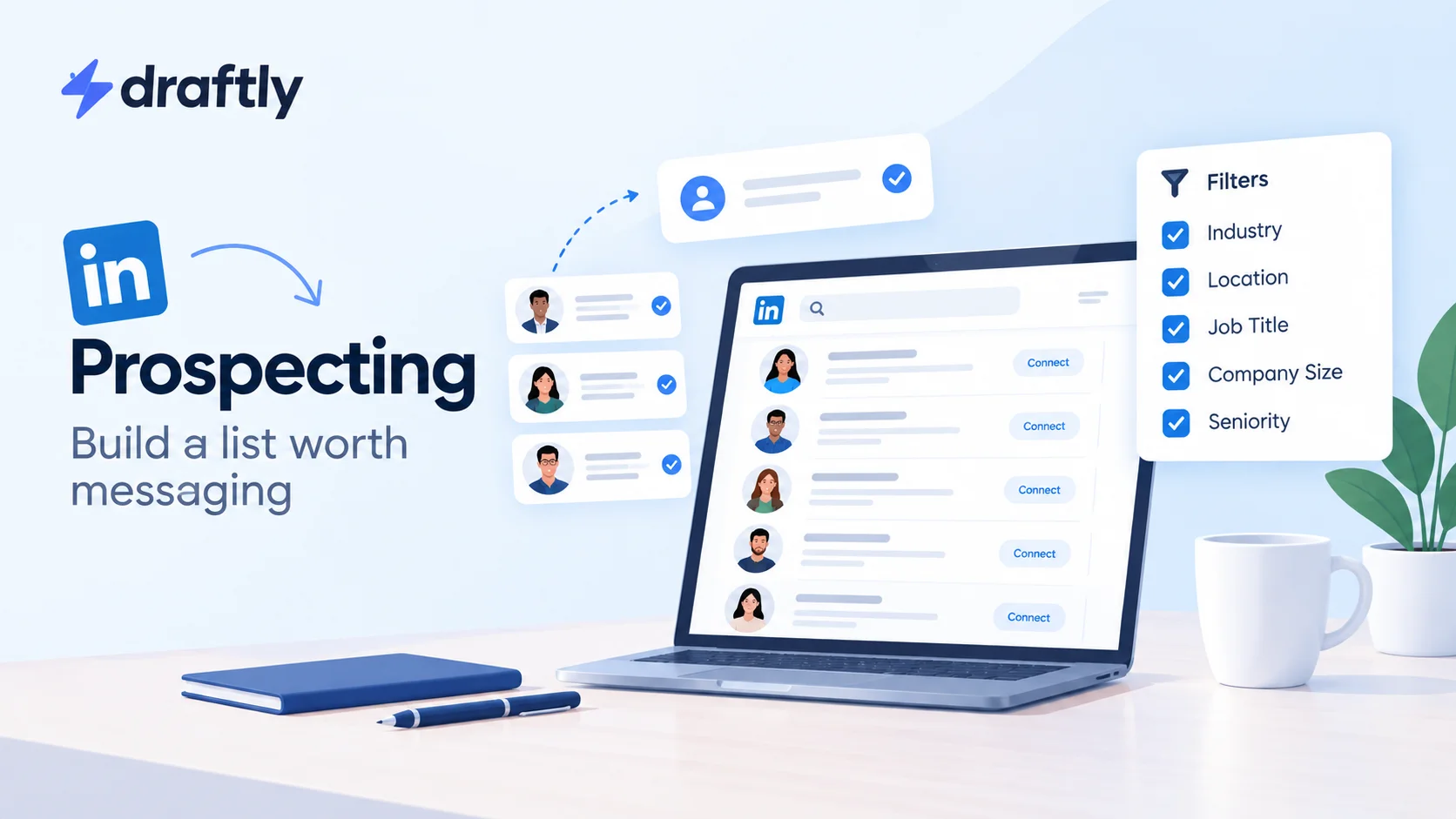
LinkedIn's native search and filters. LinkedIn's own search bar, combined with the filter panel, gets you further than most people expect. Filter by current company, past company, school, industry, and location, then layer in keywords pulled from your ICP: job titles, specific skills, or phrases people tend to use in their headline. It's free, and for a narrow or local target market, it's often enough on its own.
Sales Navigator, if you're already paying for it. Sales Navigator adds filters LinkedIn's free search doesn't offer, including seniority level, years in current role, company headcount growth, and saved search alerts that notify you when someone new matches your criteria. It's a real upgrade for prospecting at volume, though it's worth checking whether LinkedIn Premium is worth it for your specific situation before you commit to the cost. The free version handles plenty of use cases just fine on its own.
Groups, comments, and content engagement. Some of the best prospects aren't found through search at all. They're the people already commenting on posts in your space, active in relevant LinkedIn groups, or engaging with content from companies you'd consider competitors or adjacent players. Someone already showing up in the conversation is warmer than a cold name pulled from a filter, because they've already told you they're paying attention to this exact topic.
Your second-degree network. Before you reach out to a stranger, check whether someone in your first-degree network already knows them. A shared connection is one of the strongest signals available to you, and it's sitting right there on every profile you look at.
Takeaway: search filters find volume. Engagement and mutual connections find quality. A strong list usually pulls from both instead of relying on just one.
The Qualifying Pass: Sorting Real Prospects From Maybes
Finding someone who technically matches your ICP isn't the same as confirming they belong on your list. Before you add anyone, run a quick pass:
- Does their current role match, not just their title history? Someone who moved roles six months ago but hasn't updated LinkedIn yet will quietly throw off your targeting.
- Is there any recent activity on their profile? A profile that hasn't posted, commented, or updated anything in two years is a much colder bet than an active one, even if the title matches perfectly.
- Do you have a genuine, specific reason to reach out? If the honest answer is "they sort of fit," that's a maybe, not a yes.
- Is there a mutual connection or shared context you can reference? Not required, but it changes how your message reads once you get to actually writing it.
Sort your list into tiers instead of treating every name the same. A short list of strong-fit, active, clearly qualified prospects will outperform a long list of loose matches almost every time, even though the long list feels more productive to build in the moment.
Takeaway: a list you had to think twice about before adding someone is a better list than one you built in five minutes flat.
Keep the List Usable, Not Just Long
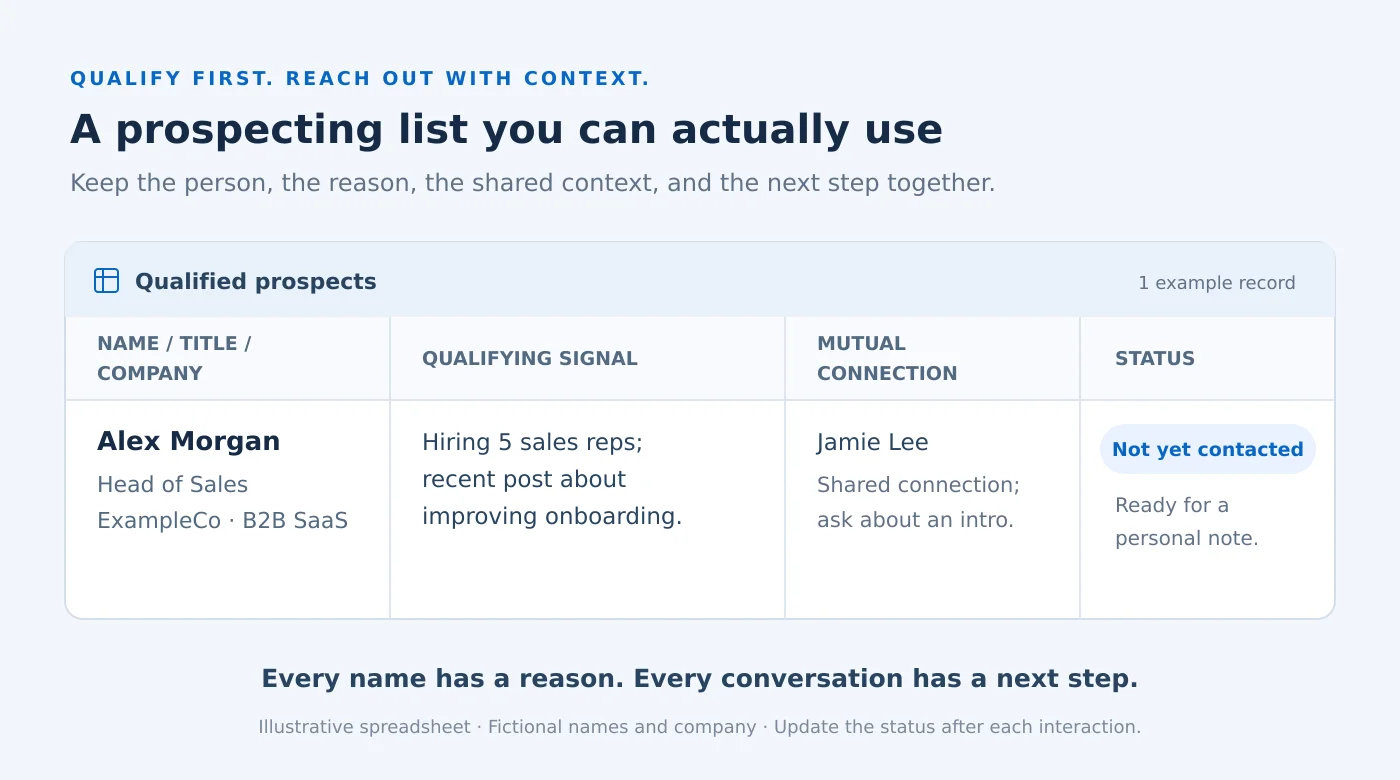
A list that only lives in your head, or scattered across LinkedIn's own saved-lead feature, gets messy fast. A simple spreadsheet or CRM with a handful of fields goes a long way:
- Name, title, and company
- Why they qualified: the specific signal, not just "fits ICP"
- Any mutual connection or shared context worth mentioning
- Status: not yet contacted, connected, replied, no response
That last field matters more than people expect. Without it, you'll either re-message someone who already said no, or lose track of a warm reply because it got buried three scrolls down your notifications.
Takeaway: the goal isn't a bigger list. It's a list you can actually work through without losing track of who you've already talked to.
Mistakes That Quietly Waste a Good List
A few habits turn a well-built list into a wasted one.
Connecting with everyone who fits, regardless of tier. Sending the same generic request to your strongest-fit prospect and your loosest maybe treats them identically when they shouldn't be treated that way at all.
No notes on why someone made the list. Three weeks later, you won't remember, and neither will your message.
Letting the list go stale. Roles change, companies get acquired, people move on. A list you built six months ago needs a re-check before you put it back to work.
Skipping the qualifying pass because the list "feels big enough." A bigger list isn't the goal. A list worth messaging is.
Takeaway: most wasted lists aren't wasted because the prospecting itself was wrong. They're wasted because nobody kept the list current or organized once it existed.
What to Do Once Your List Is Actually Ready
A qualified, organized list is only useful once you actually do something with it. That's where a real outreach strategy takes over: sequencing your connection requests, deciding what to say first, and knowing when to follow up versus when to let it go.
If you're not sure what to actually say once someone's on your list, Draftly's LinkedIn messaging templates are a solid place to start rather than staring at a blank message box and hoping something good comes out.
Takeaway: prospecting gets you the right names. What you do next is a separate skill, worth its own attention rather than an afterthought tacked onto the end of list-building.
Conclusion
Building a LinkedIn prospecting list that's actually worth messaging comes down to one habit: stop optimizing for size and start optimizing for fit. A tight ICP, a genuine qualifying pass, and a list you keep current will outperform a spreadsheet of a thousand loosely related names every time.
If keeping your LinkedIn presence active while you do this outreach work feels like one task too many, Draftly's free plan can help you plan and schedule the content that keeps your profile worth finding in the first place.