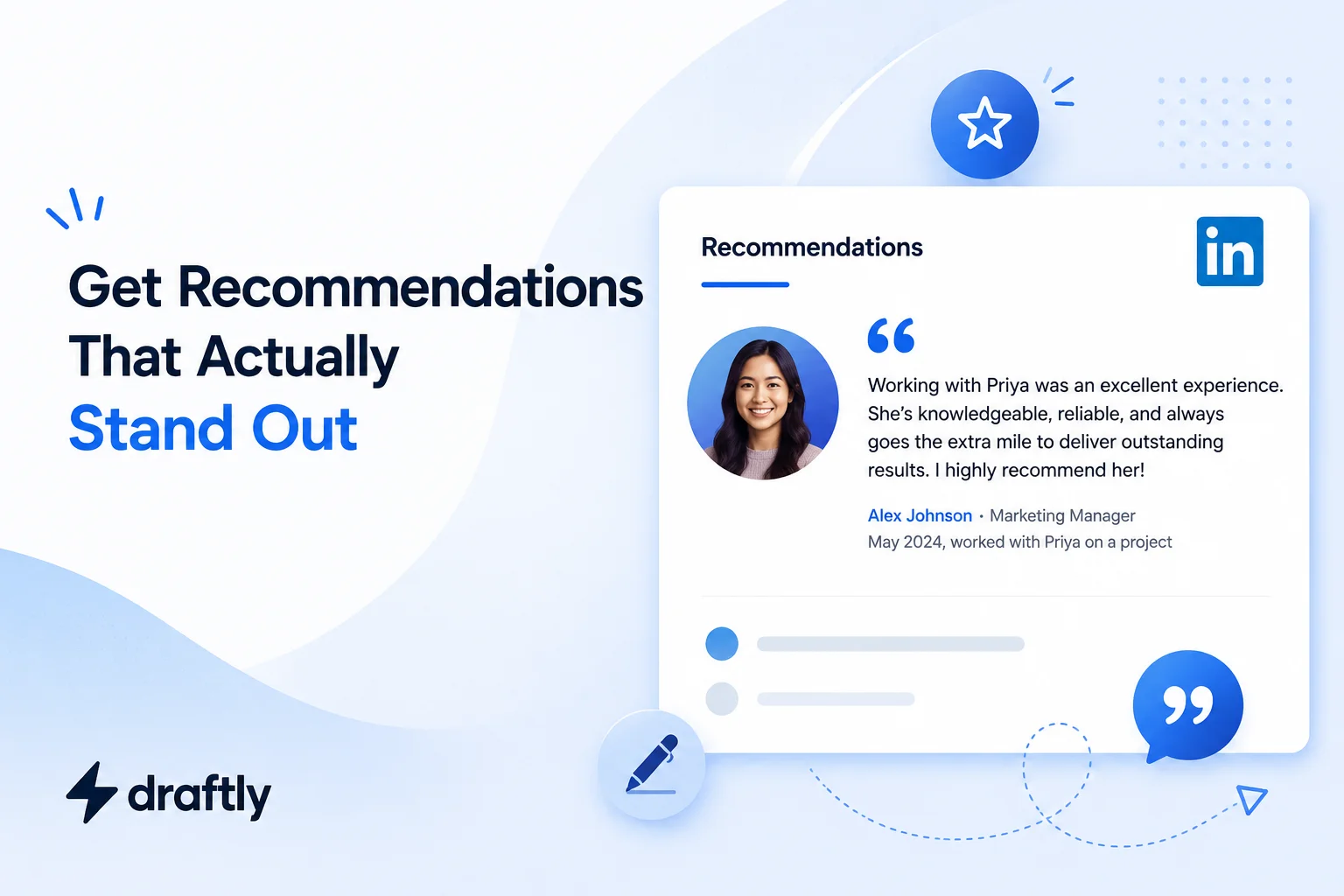
A stacked skills section looks fine. A recommendation from someone who's actually worked with you? That's what makes a recruiter stop scrolling.
Most people ignore LinkedIn recommendations entirely, or worse, collect a pile of generic one-liners that say nothing specific. Done right, recommendations are one of the few pieces of social proof on your profile that a stranger can't fake or self-report. This guide covers how to ask for one, how to write one for someone else, and how to avoid the vague, forgettable version most people end up with.
Why LinkedIn Recommendations Matter
Anyone can write their own LinkedIn headline or summary and claim to be a "results-driven strategic leader." A recommendation is different because someone else is vouching for you, in their own words, with their name attached. That's the part a resume bullet or a self-written bio can't replicate.
Recruiters and hiring managers routinely scroll down to the recommendations section before deciding whether a candidate is worth a closer look. A profile with zero recommendations doesn't necessarily look bad, but a profile with two or three specific, well-written ones stands out from the sea of profiles that only have skill endorsements and no real testimonials behind them.
LinkedIn Recommendations vs. Endorsements: What's the Difference?
These two get mixed up constantly, so it's worth clearing up before you do anything else.
- Endorsements are one-click, one-word validations of a specific skill (like "Project Management"), and anyone in your network can give you one without writing anything.
- Recommendations are full written testimonials, usually 2–4 sentences, written by someone who explains how they know you and what it was like working with you.
Endorsements are quick social proof. Recommendations are the version that actually gets read, because they carry a real voice and a real story behind them.
How to Request a LinkedIn Recommendation
Asking feels awkward the first time, but the process itself is simple:
- Go to the person's profile whose recommendation you want.
- Click the "More" button below their profile photo, then select Request a recommendation.
- Select your relationship to them (colleague, manager, client, etc.) and your position at the time you worked together.
- Write a personalized message. Don't send the default text LinkedIn generates; it reads as an afterthought.
- Click Send.
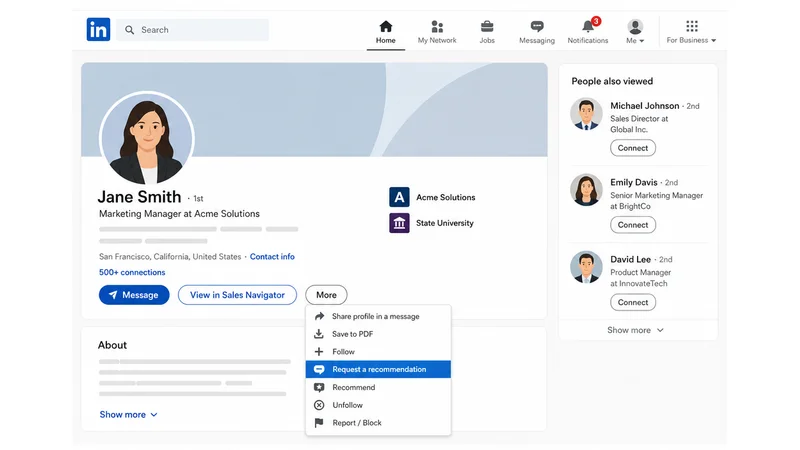
You can also request one from your own profile: open your Recommendations section, click Ask for a recommendation, then search for the connection you want to ask.
How to write the actual request message: the single biggest lever here is giving them a reason, and specifically using the word "because." People are measurably more likely to follow through on a request when they understand why it matters to you, not just what you're asking for.
Example script:
"Hi Priya, hope you're doing well! I'm updating my LinkedIn profile ahead of a job search, and I'd love a recommendation from you because you saw firsthand how I handled the Meridian account rollout, especially the client escalation in March. If you could speak to that, it would mean a lot. No pressure if you're swamped right now!"
Notice it does three things: reminds them of a specific shared experience, gives a clear "because," and points them toward exactly what to write about, which makes the ask easier to say yes to.
If someone says yes but seems stuck, offer to send over a short draft they can edit, cut, or rewrite however they like. Busy people often say yes to the idea of a recommendation and then let the request sit for weeks simply because writing it feels like homework. Handing them a starting point removes that friction, and most people will still put it in their own words rather than copy it verbatim.
How to Write a LinkedIn Recommendation for Someone Else
If someone's asked you for one, here's a structure that avoids the generic "great to work with, highly recommend" trap:
- Open with a specific line, not a generic label. Skip "John is a great team player." Try something like "It's rare to find someone who can run a technical roadmap and still make time to mentor junior engineers, but that's exactly what [Name] did on our team."
- State how you know them. One sentence covering your working relationship and how long it lasted. This gives the recommendation credibility.
- Point to one real contribution. A specific project, outcome, or number does more work than five adjectives. "She closed our largest enterprise deal that quarter" beats "she's a great salesperson."
- Highlight a trait tied to evidence. Pick one strength (leadership, problem-solving, reliability) and back it with a brief example rather than just naming it.
- Close with a forward-looking line. Something like "any team would be lucky to have them" works better than trailing off.
Mini example:
"I worked with Alex for two years at Northbridge, where they led our onboarding redesign from scratch. What stood out most was how they turned a process everyone complained about into one new hires actually praised in exit surveys, cutting time-to-productivity by nearly three weeks. Alex combines sharp product thinking with genuine patience for other people's questions, a rare pairing. Any team taking them on is getting someone who makes the people around them better too."
If you're short on the right words for your own recommendations requests or profile copy in general, running a first draft through Draftly's AI-powered LinkedIn post optimization tools can help sharpen the language before you send it.
LinkedIn Recommendation Examples by Relationship
The right angle for a recommendation changes depending on how you know the person. A few short starting points to adapt:
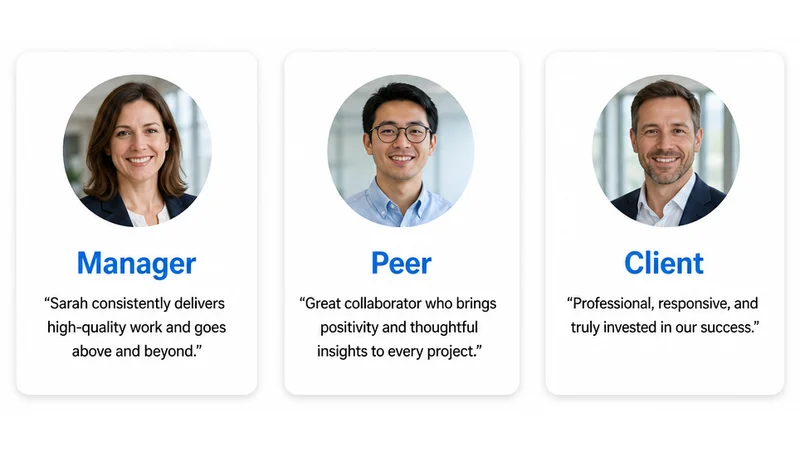
- For a direct report (as their manager): "I managed [Name] for two years, and they consistently turned around campaign briefs faster and cleaner than anyone else on the team, including one launch where they caught a budget error that would have cost us the whole quarter's ad spend."
- For a peer (as a colleague): "[Name] and I sat next to each other on the support team for a year, and they were the person everyone quietly went to when a ticket got messy, patient with customers and just as patient walking new hires through the queue."
- For a client or vendor: "We brought [Name]'s agency on for a six-month rebrand, and what stood out was how often they pushed back on our own bad ideas instead of just executing them, which is exactly what we needed from an outside partner."
- For a mentor or professor: "I supervised [Name]'s thesis research, and their ability to take a vague research question and narrow it into something testable within a semester was ahead of most graduate students I've worked with."
Each version leans on the same structure from above (specific line, context, one contribution, one trait), just adjusted for what that relationship is actually positioned to speak to.
Common Mistakes That Make a Recommendation Forgettable
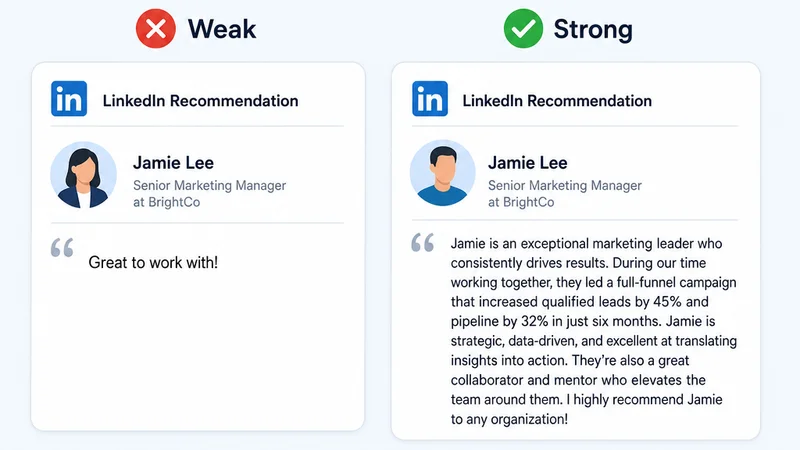
- Leading with adjectives instead of evidence. "Amazing, talented, a pleasure to work with" says nothing a reader can picture. Swap adjectives for a specific moment or result wherever you can.
- Writing it too short. A single sentence reads as an obligation someone rushed through. Aim for at least three to four sentences with real substance.
- Writing it too long. The opposite problem is just as common: a ten-sentence essay buries the one detail that actually mattered. Say the important thing early.
- Ignoring what the person actually needs. If they're pivoting industries or going for a leadership role, a recommendation about unrelated skills does little for them. Ask what they'd like it to focus on before you start typing.
- Waiting months to write it. Details fade fast. The best recommendations get written within a few weeks of the project or role ending, while the specifics are still fresh.
Best Time to Ask for a LinkedIn Recommendation
Timing affects the quality of what you get back more than most people expect:
- Right after a project wraps or a big win, while the details are still fresh for both of you.
- Before you leave a job or a role changes, while your manager and teammates still remember daily specifics, not just a vague impression from a year ago.
- After a positive performance review, when specific feedback about your work is already top of mind for your manager.
Asking cold, months after the fact, tends to produce the vaguest recommendations, simply because the person has to reach further back to remember anything concrete.
How Many LinkedIn Recommendations Should You Have?
There's no hard rule, but 3–5 recommendations from a mix of managers, peers, and clients tends to be the sweet spot. Enough to show a pattern rather than a one-off compliment, but not so many that visitors stop reading past the first three.
Quality matters more than count here. One detailed, specific recommendation from a former manager outweighs five vague ones from acquaintances. Recommendations also do their best work alongside the rest of your profile copy: if your LinkedIn summary is still generic, a great recommendation sitting below it won't carry the whole page on its own.
What to Do If You Get a Recommendation
A few habits that keep this a two-way, ongoing part of your profile instead of a one-time favor:
- Say thank you. A quick message goes a long way, and it's the natural moment to offer to write one back.
- Review before it posts. Any recommendation someone writes for you sits pending until you approve it. LinkedIn shows it to you first, and it won't appear on your public profile until you accept it, so you can request edits if something's inaccurate or oddly phrased before it ever goes live.
- Reciprocate when it's genuine. Writing one back is common practice, but only if you can say something specific and true. A swapped pair of empty compliments helps no one.
- Follow up politely if there's silence. If a week or two passes with no response to your request, a short, low-pressure nudge is normal and expected; people get busy, not annoyed.
- Pin your best one where it's visible. Recommendations already sit prominently on your profile, but pairing a strong recommendation with a project you've added to your LinkedIn featured section gives visitors both the proof and the work itself in the same scroll.
Can You Remove or Hide a LinkedIn Recommendation?
Yes. You can hide any recommendation on your profile without notifying the person who wrote it; it simply stops being visible to others. If you'd rather have it removed entirely, you'll need to ask the person who wrote it to take it down, since you can't delete someone else's words unilaterally, only your own.
Wrapping Up
A handful of specific, well-written recommendations does more for your credibility than a wall of skill endorsements ever will. Ask with a clear reason, write with a real example when it's your turn to give one, and keep the exchange genuine rather than transactional. It's one small piece of a broader LinkedIn profile optimization effort that's worth revisiting every time your role or goals change.
If you want help polishing the wording on requests, thank-you notes, or your own profile copy, Draftly can help you draft cleaner, more specific LinkedIn content in less time.