LinkedIn quietly scores every member on how well they use the platform to sell, and most people have never once looked at their number. If your connection requests are going unanswered or your outreach messages feel like they're landing nowhere, your Social Selling Index might be telling you exactly why, and it takes about thirty seconds to check.
This guide walks through what the LinkedIn Social Selling Index actually measures, how to find your score, and what to do with the four components once you know where you stand.
What Is the LinkedIn Social Selling Index?
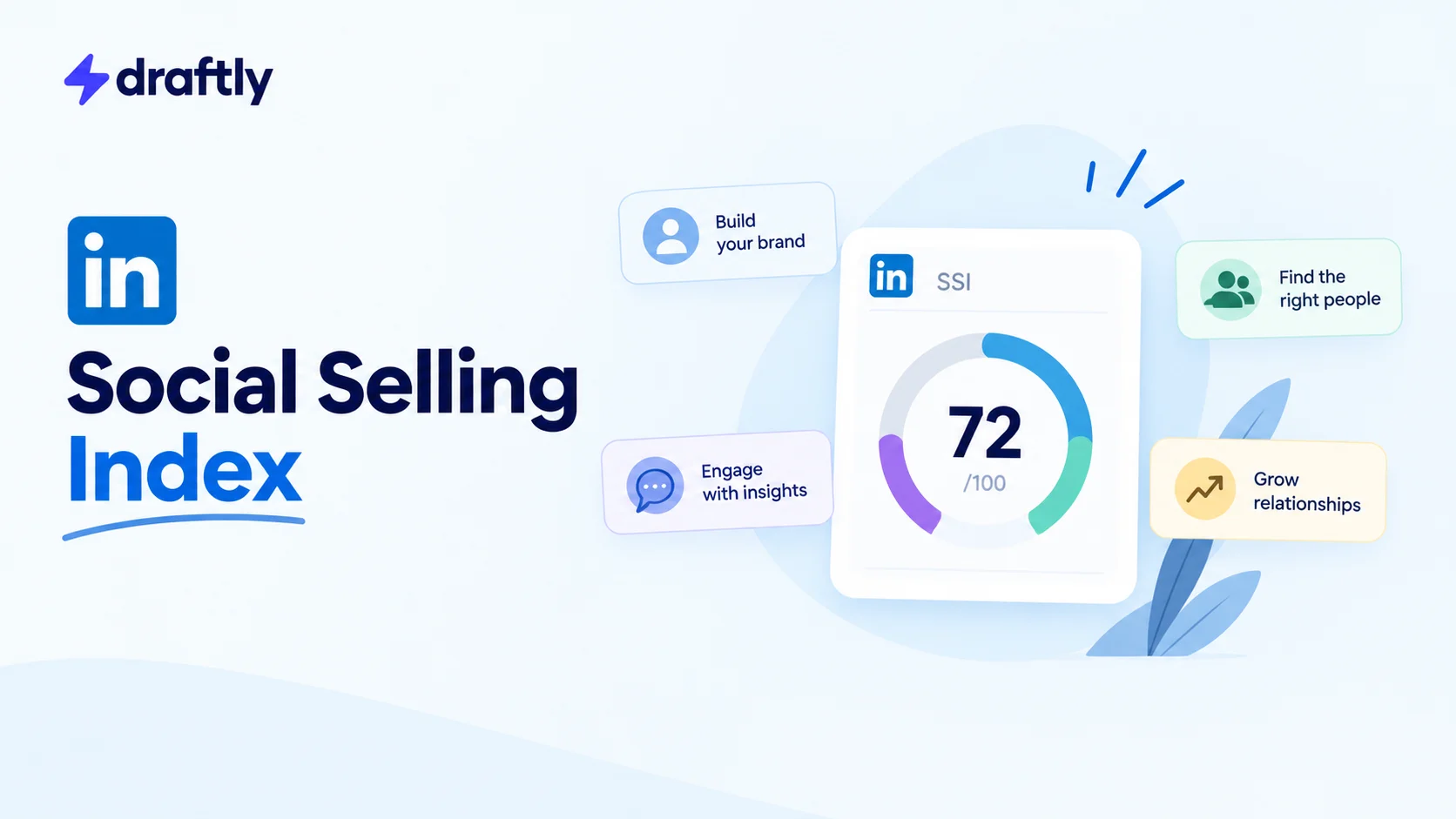
The Social Selling Index, usually shortened to SSI, is a score from 0 to 100 that LinkedIn calculates for every member based on four categories of platform behavior. LinkedIn built it originally as a tool for Sales Navigator users, but the score itself is visible to any member with a free account.
It's worth being clear about what SSI is not. It has nothing to do with the algorithm that decides whose posts show up in your feed. That's a separate system built around engagement signals on individual posts. SSI instead measures your overall pattern of activity on LinkedIn over time: how complete your profile is, who you're connecting with, what you're sharing, and how you're building relationships.
Why Your SSI Score Actually Matters
A high SSI score isn't a vanity metric. It reflects habits that genuinely make LinkedIn work better for you: a complete, credible profile, connections with the right people instead of just a lot of people, content that gives your network a reason to engage, and messages that get replies instead of getting ignored.
For anyone doing outreach or prospecting on LinkedIn, SSI is a useful diagnostic. If your score is low in one specific area, that's usually the exact place your broader LinkedIn lead generation strategy is breaking down, whether that's a thin profile turning people away before they read your message, or an outreach approach that isn't building any real relationship first.
The Four Components That Make Up Your SSI Score
LinkedIn splits the 100 points evenly across four categories, 25 points each.
Establishing your professional brand
This looks at how complete and credible your profile is: a real photo, a clear headline, a filled-out summary and experience section, and whether you're publishing content that reflects your expertise. A half-finished profile caps this score no matter what else you do.
Finding the right people
This measures how effectively you're identifying and connecting with people relevant to your goals, using search and LinkedIn's tools to find the right prospects or contacts rather than accepting or sending requests at random.
Engaging with insights
This tracks how often you share and interact with content that's useful to your network: posting your own insights, commenting thoughtfully on others' posts, and sharing articles or updates that spark real conversation rather than generic reactions.
Building relationships
This is about the strength of your network, specifically how many of your connections are decision-makers or people in roles relevant to what you're trying to accomplish, and how consistently you're nurturing those relationships instead of letting them go cold after the initial connection.
How to Check Your LinkedIn SSI Score
Checking your score takes less time than reading this section.
- Go to linkedin.com/sales/ssi while logged into your regular LinkedIn account. No separate signup is required.
- Your total score appears at the top, out of 100, along with a breakdown of all four components.
- Below that, LinkedIn shows where you rank against your industry and against your own network, which is more useful than the raw number on its own since it tells you whether you're actually ahead or behind your peers.
- Check back periodically. Your score updates regularly as your activity changes, so it's worth a monthly glance rather than a one-time look.
The free version gives you the current snapshot. If you want to track your score's trend over time or see team-level SSI data, that level of detail sits behind Sales Navigator, which is worth weighing against whether LinkedIn Premium is worth it for your specific use case before you pay for it.
How to Improve Each Part of Your SSI Score
Once you know which component is dragging your score down, the fixes are fairly specific.
To raise your professional brand score: finish every section of your profile, swap a casual photo for a professional one, and rewrite your headline so it says what you actually do instead of just your job title. Then post on a consistent schedule rather than in bursts, since LinkedIn is measuring a pattern, not a single good week. Using automation tools built for LinkedIn to keep a steady publishing cadence, without turning your account into something that feels automated, is one of the more reliable ways to move this number.
To raise your “finding the right people” score: use LinkedIn's search filters by industry, company size, and role instead of connecting with whoever shows up in “people you may know.” Save searches for the types of people you're regularly trying to reach so you're building a targeted list rather than a random one.
To raise your “engaging with insights” score: comment on posts with something specific rather than “Great post!” Reference a detail from the post and add your own perspective. Share content from others with a sentence explaining why it's useful to your network, not just a bare repost.
To raise your “building relationships” score: personalize every connection request instead of sending the default invite. A short note referencing something specific about the person performs far better than a blank request. Here's a template you can adapt:
Hi [Name], I saw your post on [specific topic] and liked your point about [specific detail]. I work in [your industry] too and would love to stay connected here.
That same principle applies to outreach messages once you're connected. If you're building a cold outreach message that actually gets replies, specificity is what separates a message someone answers from one they scroll past, and a set of ready-to-use messaging templates can give you a solid starting structure to personalize from rather than writing every message from scratch.
What Counts as a Good SSI Score
There's no universal passing grade for SSI. LinkedIn benchmarks your score against your industry and against your own network rather than against a flat number, which is more useful anyway, since a “good” score for someone in recruiting looks different from a good score for someone in software sales.
The more useful question is usually which of the four components is lowest relative to the other three. A balanced score in the 60s across all four categories generally reflects healthier, more sustainable LinkedIn habits than a score pulled up by one strong category while another sits near zero.
SSI for Sales Teams and Managers
Individual SSI scores get most of the attention, but the score is also useful at a team level. Sales Navigator gives managers a team SSI view, which makes it possible to spot which reps are struggling with a specific component rather than guessing why their pipeline looks thin.
A rep with a low “finding the right people” score, for instance, might be spending time reaching out to accounts that were never a fit to begin with, which is a coaching conversation about targeting rather than about effort. A team member with a strong brand and outreach score but a weak relationship-building number might be great at starting conversations but not following through on them. Looking at the component breakdown, not just the total, turns SSI from a single number into an actual diagnostic tool for a sales team.
Where SSI Is Headed as LinkedIn Leans Into AI
As AI-written posts and automated commenting tools have become more common on LinkedIn, the platform has been adjusting what actually counts toward the “engaging with insights” and “building relationships” components. Generic, templated engagement is being weighted less than it used to be, while specific, substantive interaction still moves the needle.
That shift is worth keeping in mind if you're using any kind of content or scheduling tool to stay consistent on LinkedIn. Tools that help you show up regularly are genuinely useful for the brand and engagement components of SSI, but they work best when they're helping you write and post more consistently, not replacing the specific, personal detail that makes a comment or message land in the first place.
Conclusion
Your SSI score is really just a mirror for four habits: a complete profile, the right connections, useful engagement, and real relationships. Check yours, see which component is lowest, and work on that one specifically rather than trying to fix all four at once. If staying consistent with posting and outreach is the part that keeps slipping, Draftly is built to help you keep a steady, genuine presence on LinkedIn without it turning into a second job.
Frequently Asked Questions
It's a free score from 0 to 100 that LinkedIn calculates for every member based on four factors: how complete your professional brand is, how well you're finding the right people, how much you engage with relevant content, and how strong your relationships are on the platform.
Log into your regular LinkedIn account and go to linkedin.com/sales/ssi. Your score and the breakdown by component appear immediately, along with how you rank against your industry and your own network.
There's no fixed passing number. LinkedIn compares your score to your industry and network rather than to a universal benchmark, so a good score depends on your field. A balanced score across all four components is generally a stronger sign than a high total pulled up by just one category.
A high score doesn't directly cause more sales, but it reflects habits, a complete profile, relevant connections, useful content, and real relationship-building, that do tend to lead to better response rates and more productive conversations on LinkedIn.
LinkedIn recalculates your score regularly based on your ongoing activity, so it shifts over time as your profile, connections, and engagement change. Checking it monthly is usually enough to spot meaningful trends.
No. Anyone with a free LinkedIn account can view their current score and component breakdown at linkedin.com/sales/ssi. Sales Navigator adds extra detail on top of that, like historical trends and team-level views, but it isn't required to check your basic score.