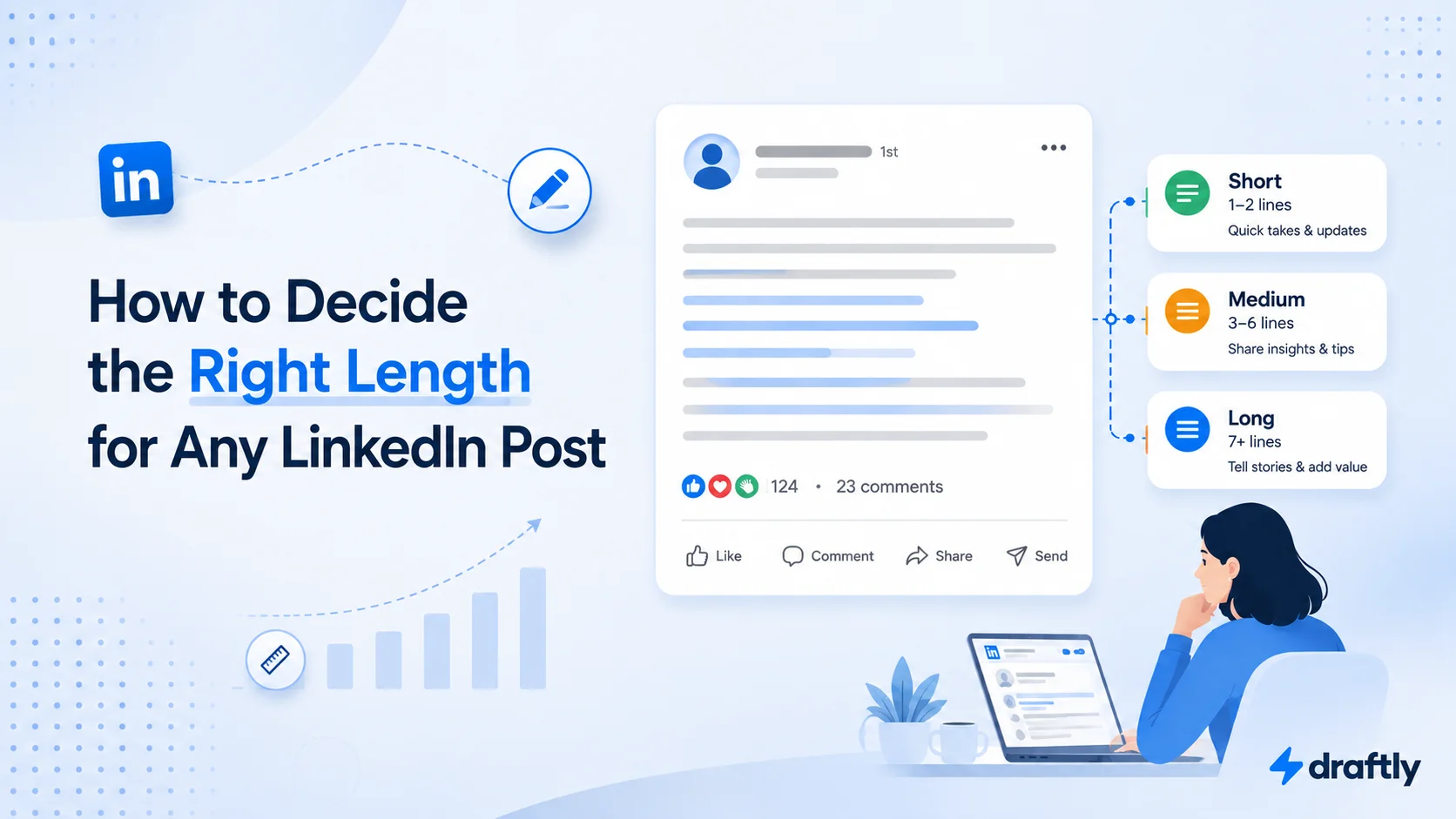
Two people post on LinkedIn today. One writes eleven words. The other writes eleven hundred. Both end up with a comments section full of real conversation. So if you've been hunting for a single magic number, here's the honest answer: there isn't one. LinkedIn caps a standard post at 3,000 characters, but that ceiling barely matters day to day. What actually decides how long your post should be isn't a number at all. It's the format carrying it and the job you're asking it to do.
Here's a simple way to think about it: pick something that fits the format, then something that fits the goal, then check yourself against a couple of warning signs before you hit publish.
Match Length to the Format Carrying the Idea
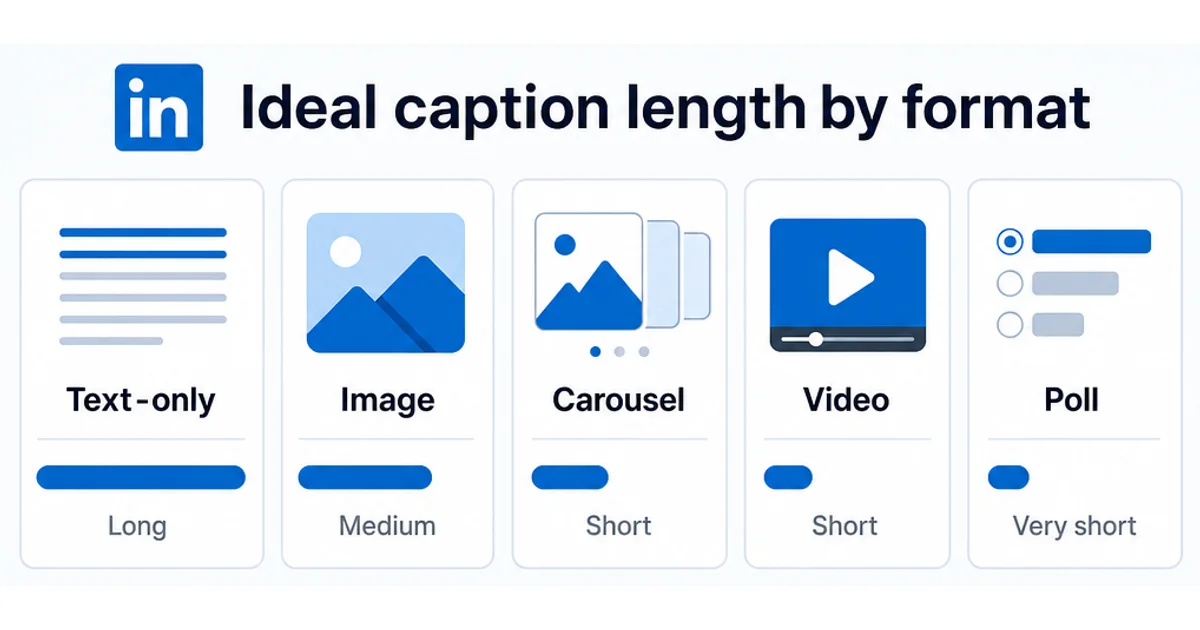
The words in a LinkedIn post rarely carry the whole message by themselves anymore. Let the format decide how much text it actually needs.
- Text-only posts can run the longest, because the words are doing all the work. This is where a full story, a breakdown, or a contrarian take earns its length. Just remember the feed only shows the first couple of lines before LinkedIn's "See more" cutoff kicks in, so previewing your LinkedIn post before you publish shows exactly where that cutoff lands for your specific draft.
- Image posts work better with a tighter caption, often just a few lines. The image already has the reader's attention, so the text should frame it, not compete with it. Something like "Spent the morning rebuilding our onboarding flow. Here's the before and after." does the job in two lines and lets the screenshot carry the rest.
- Carousel posts should keep captions short. The slides are telling the story, so the caption's only real job is to earn the swipe. If you're putting one together, a LinkedIn carousel post lets you spread a longer idea across slides instead of cramming it all into the caption. A caption like "We tested six subject lines last month. Here's what won, and why." earns the swipe without giving away slide two.
- Video posts need a short, punchy caption. Its only job is to get someone to press play, not to summarize what's coming. "I almost cut this feature. Here's why I was wrong." is enough on its own.
- Polls need a question you can read in one glance, with answer options even shorter, since LinkedIn's poll fields wrap awkwardly on mobile once you push past a few words. "What's slowing your LinkedIn growth down the most?" beats a two-sentence setup every time.
Takeaway: the format sets the ceiling before you've written a single word. Match your caption to how much work the visual or the slides are already doing.
A Three-Question Gut Check Before You Draft
If you're staring at a blank post and not sure how much to write, run the idea through three quick questions before your fingers hit the keyboard.
- What's actually carrying this post? Is it the words alone, or is an image, carousel, or video already doing part of the work? Whatever's doing the least work needs the most text to make up for it.
- What do I want the reader to do? Agree with something, act on something, or just notice something? A "notice" post can be a sentence. An "act on this" post usually needs enough context that someone can actually follow through.
- How much would a total stranger need to know to get the point? Not a follower, not someone who's read your last ten posts, an actual stranger scrolling past. If the answer is "quite a bit," that's your sign the post needs the room to explain itself.
Answering those three honestly, before you write, saves you from the two most common length mistakes: padding a one-line idea because it "feels too short," or cramming a real story into three sentences because you're worried about losing people.
Takeaway: decide the length question before you draft, not while you're staring at a half-finished post trying to guess if it's done.
Match Length to What the Post Needs to Accomplish
Once the format's decided, length is still a choice, and it should follow the job the post is doing, not a habit you've fallen into.
Shorter tends to work for:
- A sharp opinion or hot take that doesn't need much justification
- A quick win, an announcement, or a single tip
- A question meant to start the conversation in the comments, not finish it
Longer tends to work for:
- A story with a real arc: a setup, a turn, a resolution
- A step-by-step breakdown someone might screenshot or save
- A case study or lesson that needs context to actually land
Here's the same update written both ways, so you can see the difference for yourself:
Short version: "We just crossed 10,000 users. Grateful for everyone who tested the rough early version and stuck around. 🎉"
Long version: "Eighteen months ago, our 'product' was a spreadsheet and a Calendly link. We onboarded our first ten users by hand, one at a time, and half of them found bugs within the first five minutes. Today we crossed 10,000 users. Here's what actually changed between user one and user ten thousand: [three concrete lessons]..."
Neither one is wrong. The short version marks the moment. The long version teaches something. If you're not sure which you're writing, decide on a structure first instead of a word count. That's what keeps a short idea from getting padded into a long post just to make it "look like more." Grabbing a LinkedIn post template is a fast way to commit to that structure before you even start typing.
Takeaway: decide what the post needs to accomplish before you decide how long it should be, not the other way around.
When the Idea Needs More Room Than a Post Allows
Every so often, a post doesn't actually want to be a post. If you keep trying to squeeze a genuinely long story, a detailed how-to, or a multi-part argument into something that fits comfortably in the feed, that's usually a sign the idea belongs somewhere with more room to stretch out. LinkedIn's Article format exists for exactly that. If you're on the fence about which one a specific idea deserves, posting an article on LinkedIn works differently enough from a regular post that knowing the difference makes the call a lot easier.
Takeaway: don't force a big idea into a feed post just because that's the format you default to, and don't stretch a small idea into an Article just to make it look more substantial than it is.
Two Signs Your Length Is Working Against You
Length problems usually show up as one of two patterns, and once you know what to look for, they're pretty easy to catch.
Signs a post is too short:
- The point feels rushed, like you cut it off before actually making the case for it
- There's no real takeaway, just a headline-shaped thought with nothing underneath it
- A reader would need to already agree with you for the post to land, because there's no supporting detail for anyone who doesn't
Signs a post is too long:
- You're restating the same point in slightly different words a few lines down
- You could delete an entire paragraph and the post would lose nothing
- A reader has to scroll past filler before reaching the actual point
Here's a fast self-check before you publish: read the post back one sentence at a time and ask whether the next sentence adds a new idea, or just rephrases the last one. If it's rephrasing, cut it. That single habit fixes more length problems than counting words ever will.
Here's what that looks like in practice. A too-long first draft might read: "I think one of the biggest challenges in building a startup is really understanding your customer deeply, and I've found that talking to customers regularly, like every single week, really helps you understand what they actually need, versus what you think they need, which is a mistake a lot of founders make early on." That's one idea stretched across four clauses. Trimmed, it becomes: "The biggest founder mistake I see: assuming you know what customers need instead of asking them every week. Talk to customers weekly. Everything else is a guess." Same point, a third of the words, and nothing actually missing.
Takeaway: length problems are rarely about the number itself. They're about whether every line is still pulling its weight.
Does Length Affect Your Reach?
Not directly. Length isn't something LinkedIn's algorithm is checking for on its own. What actually gets rewarded is whether people stop scrolling in your first couple of lines and stick around long enough to react, comment, or click through to read more. A long post that holds attention will beat a short post that doesn't, and a short post that lands perfectly will beat a long post nobody finishes reading.
Here's roughly how that plays out. LinkedIn tends to show a new post to a small slice of your audience first, then decides whether to push it further based on how that first group reacts in the opening minutes. A post that gets read all the way through, and picks up a few real comments early, looks like a post worth showing to more people. A post that gets an impression but no read-through, no matter how long or short it is, doesn't. Length only enters that equation indirectly: a post that's padded tends to lose readers partway through, and a post that's too thin never gives anyone a reason to comment in the first place.
So really, length is a side effect of good writing, not a lever you pull by itself. Padding a post just to make it "look more substantial" almost always backfires, because it buries the hook that was doing the real work in the first place, and the drop-off shows up in exactly the read-through signal that decides whether the post keeps getting shown.
Takeaway: write to the length the idea actually needs. If you're adding words just to hit a number, you're optimizing the wrong thing.
Conclusion
There's no single right length for a LinkedIn post, and chasing one is the wrong goal. Let the format set the ceiling, let the goal decide where inside that ceiling you land, and use the too-short and too-long signs above as your last check before publishing. Get those three things right, and the actual character count takes care of itself.
Length is really just one piece of creating LinkedIn content that performs day after day. If keeping a consistent posting rhythm on top of all these length calls feels like a lot to juggle post by post, Draftly's free plan can help you draft and schedule your LinkedIn content in one place, so you can focus on the idea instead of second-guessing how long it should be.