If you've been hunting for a Creator Mode toggle that isn't there anymore, you're not missing anything. LinkedIn removed it. Here's where everything actually went.
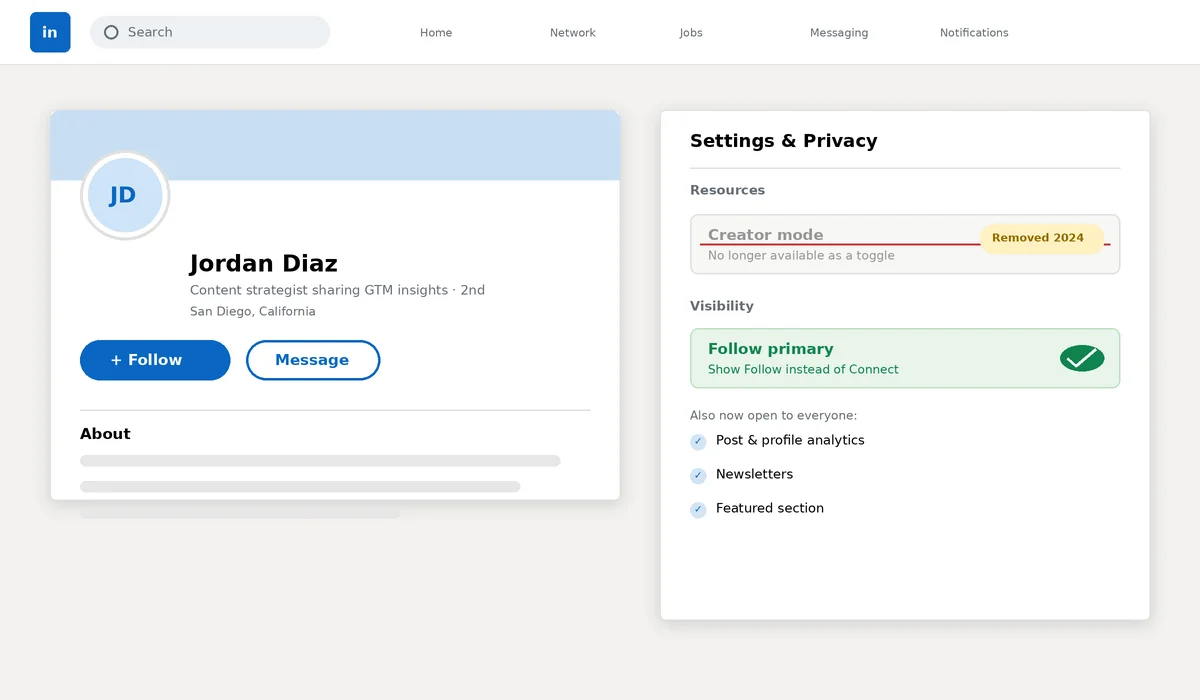
A lot of people searching for LinkedIn creator mode right now are looking for a switch that used to exist and just doesn't anymore. LinkedIn quietly removed the Creator Mode on/off toggle in March 2024, folding most of what it used to unlock into every profile's regular settings. If you turned it on years ago and haven't thought about it since, or you're setting up a profile now and can't find the setting everyone talks about, this is why.
What Actually Happened to Creator Mode
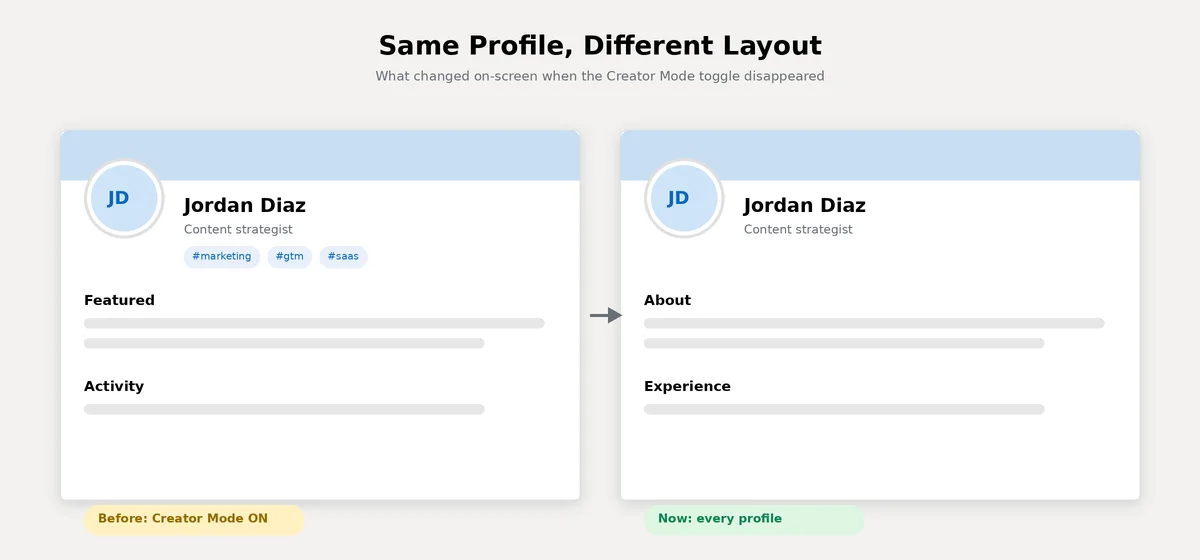
Creator Mode launched in 2021 as an optional profile setting for people who posted regularly. Turning it on swapped your "Connect" button for "Follow," moved your Featured and Activity sections higher on your profile, added topic hashtags under your name, and unlocked deeper analytics, newsletters, and LinkedIn Live.
In its own update notice, LinkedIn said it would keep giving people who'd already turned it on access to the same sharing tools and analytics, while removing the separate toggle for everyone else and rolling the core features out more broadly. In practice, that means there's no longer a single switch. Each piece now lives in its own spot, and a few pieces (the hashtags, mainly) didn't survive the transition at all.
The Features You're Actually Looking For, and Where They Live Now
Follow as your primary button: this is set directly in your profile's Visibility settings now, no separate mode required. It's the one piece most people actually came looking for.
Analytics: post and profile analytics are open to every profile today, not gated behind anything.
Featured section: its position on your profile is now fixed for everyone rather than something Creator Mode used to bump up.
Newsletters: available directly from your own profile without needing to enable anything first.
"Talks About" hashtags: this one didn't make the cut. LinkedIn removed profile hashtags for everyone as part of the same update, so there's no current equivalent.
LinkedIn Live and Audio Events: this is the messiest area, since LinkedIn has continued adjusting live-content features since 2024 and coverage is inconsistent even in current sources. If live video matters to your strategy, it's worth checking LinkedIn's own current help documentation directly rather than relying on any single article, this one included, since this specific piece keeps moving.
How to Actually Set Follow as Your Primary Button
Since this is the one thing people actually came here to do, here's the real click path: go to your profile, open Settings, then Visibility, and look for "Visible to" or "Follow primary." Switching this on makes Follow the default action visitors see instead of Connect. It applies within about 24 hours, and it's worth knowing that switching from a connections-based setup to a follow-based one can remove existing out-of-network followers in the process, so it's not something to toggle back and forth casually.
Where Analytics and Newsletters Actually Live Now
Analytics: open your own profile and look for the analytics or "view all" link near your activity section. Post-level analytics, impressions, and audience breakdowns are visible from there for every profile now, not just ones that used to have Creator Mode on.
Newsletters: this lives under your profile's Activity or content tools area, sometimes labeled directly as "Newsletter" once you have a post published. You no longer need any prior setting enabled to start one, you just create it the same way you'd create a regular post or article.
If You Had Creator Mode Turned On Before 2024
If you were an early adopter, the update didn't strip anything away. LinkedIn's own notice was specific about this: people who already had it on kept their sharing tools and analytics access. What changed is just that the on/off switch itself disappeared, and the topic hashtags that used to sit under your name got removed for everyone, creator profiles included. If your profile still looks like it did when you first turned Creator Mode on, that's expected. Nothing there breaks or resets on its own.
If you're using any of this to actively build a personal brand rather than just keeping a tidy profile, the settings matter less than what you actually do with them, consistency in what you post is still doing most of the work.
Should Your Profile Show Follow or Connect?
This is really the only decision left, since everything else now applies automatically. Follow as your primary button makes sense if you're posting regularly and want to build an audience beyond people you already know, since it lets anyone see your updates without a mutual connection. Connect makes more sense if your goal is direct outreach, job searching, or growing a smaller, closer network, since it invites a two-way relationship instead of one-way visibility.
You can have both either way. Setting Follow as primary doesn't remove Connect, it just moves it under the "More" menu on your profile instead of front and center.
A Quick Way to Tell If Your Profile Is Already Set Up Like a Creator's
Open your own profile and look at the button next to your name. If it already says Follow to visitors outside your network, you're set up the way Creator Mode used to configure things, whether or not you ever manually turned anything on. If it still says Connect and you'd rather it read Follow, that's a setting in your profile's Visibility preferences, not a mode you need to activate.
Conclusion
There's nothing broken and nothing to reactivate. LinkedIn just stopped bundling these features behind one toggle and handed most of them to every profile directly. If you're chasing visibility and audience growth rather than one-to-one networking, set Follow as your primary action and lean on the analytics and newsletter tools that are already sitting in your settings, waiting to be used.