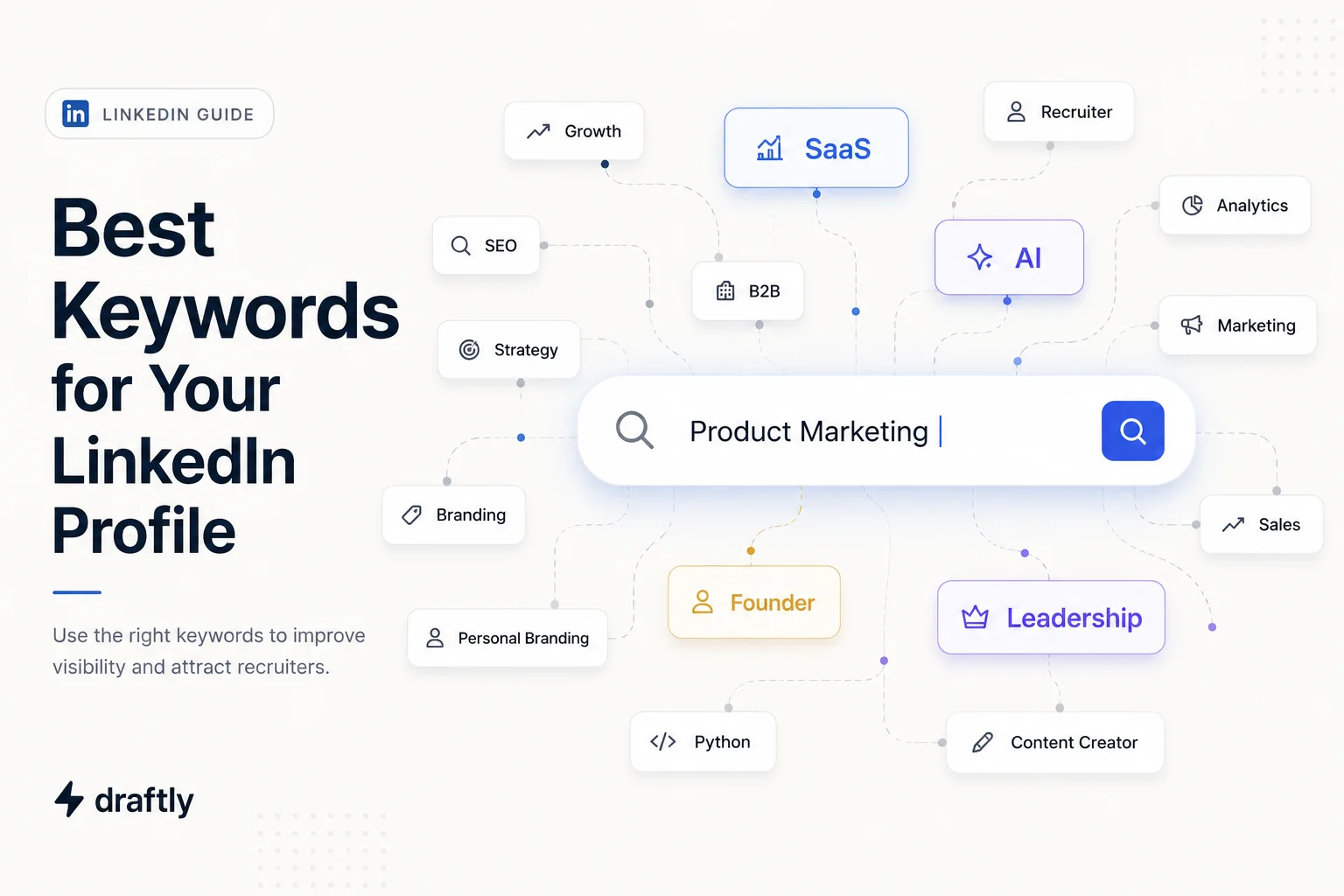
Why does someone with exactly the right experience never show up in a recruiter's search? Usually, it's not the experience. It's that the best keywords for your LinkedIn profile are sitting in a field LinkedIn barely searches. LinkedIn's search behaves less like a search engine and more like a job board's internal database, matching specific fields, headline, skills, title, against whatever someone types in. Get the right words into the wrong spot, and you're invisible no matter how good the writing is.
How LinkedIn Search Actually Works
When a recruiter uses LinkedIn Recruiter or the regular search bar, they're usually filtering by job title first, then skills, then location. LinkedIn indexes some fields far more heavily than others for this kind of matching. Your headline and current job title carry the most weight, since that's the first thing a title-based search checks. Skills come next, especially the top three you've pinned to the top of that section. Your About section and experience descriptions matter for context and depth once someone's already looking at your profile, but they're not the fields a search matches against first.
That distinction matters more than the specific keyword list you end up with, honestly, because it changes where you should actually spend your effort.
One more thing worth knowing: recruiters using LinkedIn Recruiter often search with Boolean operators, combining terms with AND, OR, and NOT to filter candidates. If a job posting could reasonably be titled "Relationship Manager" or "Account Manager," a recruiter might search both at once with OR. That's exactly why using a couple of synonyms across your profile, not just your one preferred term, catches more of these searches than repeating the same phrase everywhere.
How to Find Your Actual Keywords
Generic keyword lists are a fine starting point, but the ones that actually get you found are the terms your specific target roles or clients search for. A few ways to track those down:
Pull 5 to 10 real job postings for the role you want (or the kind of client you want, if you're not job hunting) and see which exact words keep repeating. If four postings say "stakeholder management" and one says "cross-functional leadership," go with the phrase that shows up more.
Use LinkedIn's own search bar as a suggestion tool. Start typing a job title or skill and watch what it auto-suggests. Those suggestions reflect real search behavior on the platform, not a guess someone made up.
Look at a handful of All-Star profiles in the exact role you're targeting. Not to copy them, just to notice which skills and phrases keep showing up across people who are already succeeding in that role.
If you're in a niche or emerging title, check both the established term and the newer one. Search behavior tends to lag a few years behind what a role actually gets called internally.
Where to Put Them, Field by Field
Once you've got a real list, placement is really what determines whether any of it does anything across your whole profile.
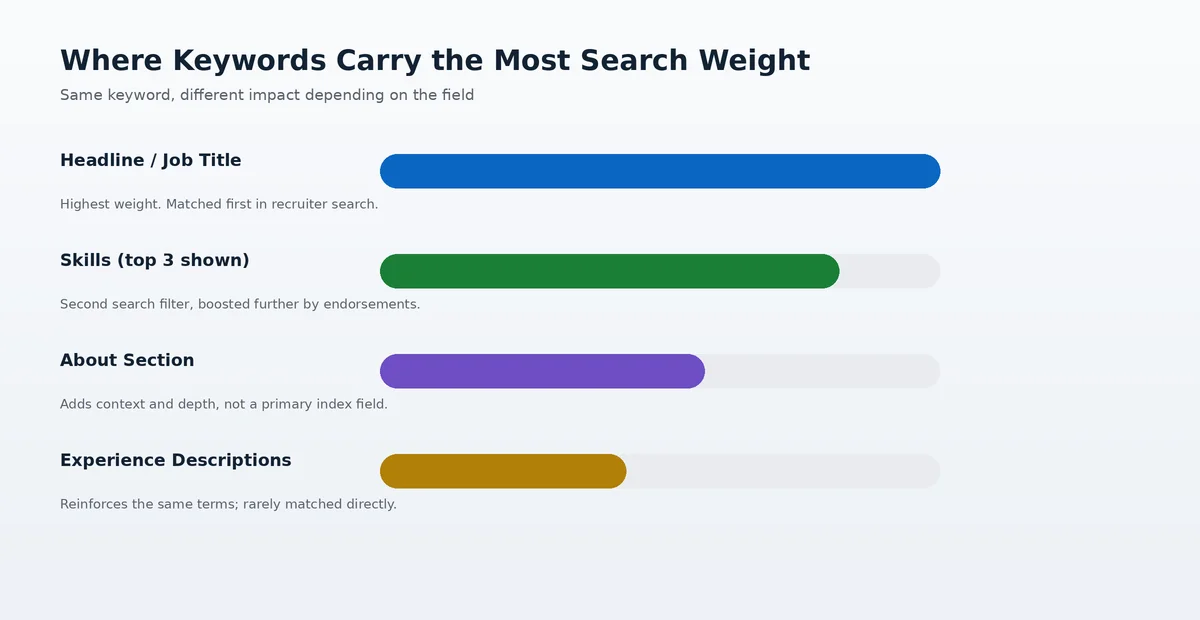
Headline and job title: your single highest-leverage spot. Instead of leaving the default "Job Title at Company," expand it with your specialty. "Senior Product Marketing Manager | B2B SaaS Positioning & GTM Strategy" does a lot more work than the bare title.
Skills: you can list up to 50, but only the top three show by default, and those are the ones weighted most heavily, especially once endorsed. A skill sitting at zero endorsements is far less discoverable than one with even a handful, so it's worth actually asking a few colleagues to endorse your top picks rather than hoping it happens on its own.
About section: this is where keywords finally get context. Instead of a bare list, work them into real sentences about what you've actually done.
Experience descriptions: reinforce the same core terms here rather than introducing brand-new ones. This is about consistency and depth, not the place you use a keyword for the first time.
Certifications and Projects: easy to forget, but both are genuinely keyword-dense real estate. List certifications by their full official name plus the common abbreviation ("Project Management Professional (PMP)"), and if you have relevant projects, titling them with the skill or industry they demonstrate helps them double as keyword placements, not just resume filler.
A Quick Before-and-After
Picture a customer success manager whose headline currently just reads "Customer Success Manager at Halcyon Labs." It's accurate, but it only matches a search for that exact title at that exact company, which is close to nobody's actual search. Rewritten as "Customer Success Manager | SaaS Onboarding, Retention & Renewals," the same headline now matches searches for onboarding, retention, and renewals specifically, three terms a hiring manager or client is far more likely to type than the generic title alone.
Nothing about this person's actual experience changed. Only the words used to describe it did.
Mistakes That Waste Good Keywords
Keyword-stuffing the About section with a bare list of terms. It reads as spam to an actual human, and it doesn't even help in the fields that carry the real search weight anyway.
Using a vague, impressive-sounding title instead of a specific one. "Growth Professional" won't show up in a search for "Growth Marketing Manager," even if that's effectively your job.
Leaving Skills at the LinkedIn defaults or an old list from years ago. This is one of the easiest fields to update and, somehow, one of the most commonly ignored.
Only using the acronym or only the spelled-out version of a term, not both. Someone searching "SEO" and someone searching "search engine optimization" are both real people, and you can usually fit both in somewhere.
Conclusion
Keywords on LinkedIn only work if they're both the right words and in the right place. Find yours from real job postings and LinkedIn's own search suggestions instead of a generic list, then put your effort into the headline and skills first, since that's where LinkedIn is actually matching searches, and let the About section, experience, certifications, and projects fill in the depth once someone's already looking. The rest, actually turning that positioning into consistent posts and content, is really a separate project, one that's what Draftly's for if you get to that point.