Ever posted something you were genuinely proud of, watched it sit at three likes for two days, then scrolled past someone else's rushed, typo-ridden take on the same topic getting 200 comments? That's not bad luck. It's LinkedIn's algorithm reacting to signals you can actually influence, once you know what it's looking for.
The honest version of this advice is less “10x your reach overnight” and more “build a handful of habits and give them time to compound.” Below are 15 tactics that actually move the needle, based on how LinkedIn's algorithm ranks and distributes content right now.
Why Engagement Matters More Than Reach
Reach is a vanity number. It tells you how many people scrolled past your post. Engagement tells LinkedIn the post was actually worth stopping for. Every like, comment, share, and click is a small vote that tells the algorithm: show this to more people. That's why the first hour after you post matters so much, LinkedIn is essentially running a quiet experiment on a small slice of your network, and how they react decides whether it gets pushed further. It's also why LinkedIn impressions and engagement tend to rise and fall together instead of moving independently.
There's a second, quieter reason engagement matters: it compounds. A post with early comments gets more comments, because an active thread is more inviting to jump into than a silent one. A post that sits untouched rarely recovers, no matter how good the writing is.
Takeaway: if you can only optimize for one metric, make it engagement. Reach tends to follow it, not the other way around.
15 Ways to Get More Engagement on LinkedIn
1. Post When Your Audience Is Online
Timing advice gets repeated so often it's basically folklore at this point: post at 8am, post on Tuesdays, never post on Fridays. Some of that has a grain of truth. Early morning (roughly 7 to 9am) and mid-morning (10 to 11am) on weekdays tend to work well for B2B audiences, since that's when people are scrolling before their first meeting or during a coffee break.
But “tends to” is doing a lot of work in that sentence. If your audience is mostly in a different time zone, or they're founders who check LinkedIn at 11pm after their kids are asleep, the generic advice will actively work against you.
Takeaway: treat published “best times” as a starting point, then check your own analytics after a few weeks and adjust to when your specific audience shows up.
2. Write a Strong Opening Line
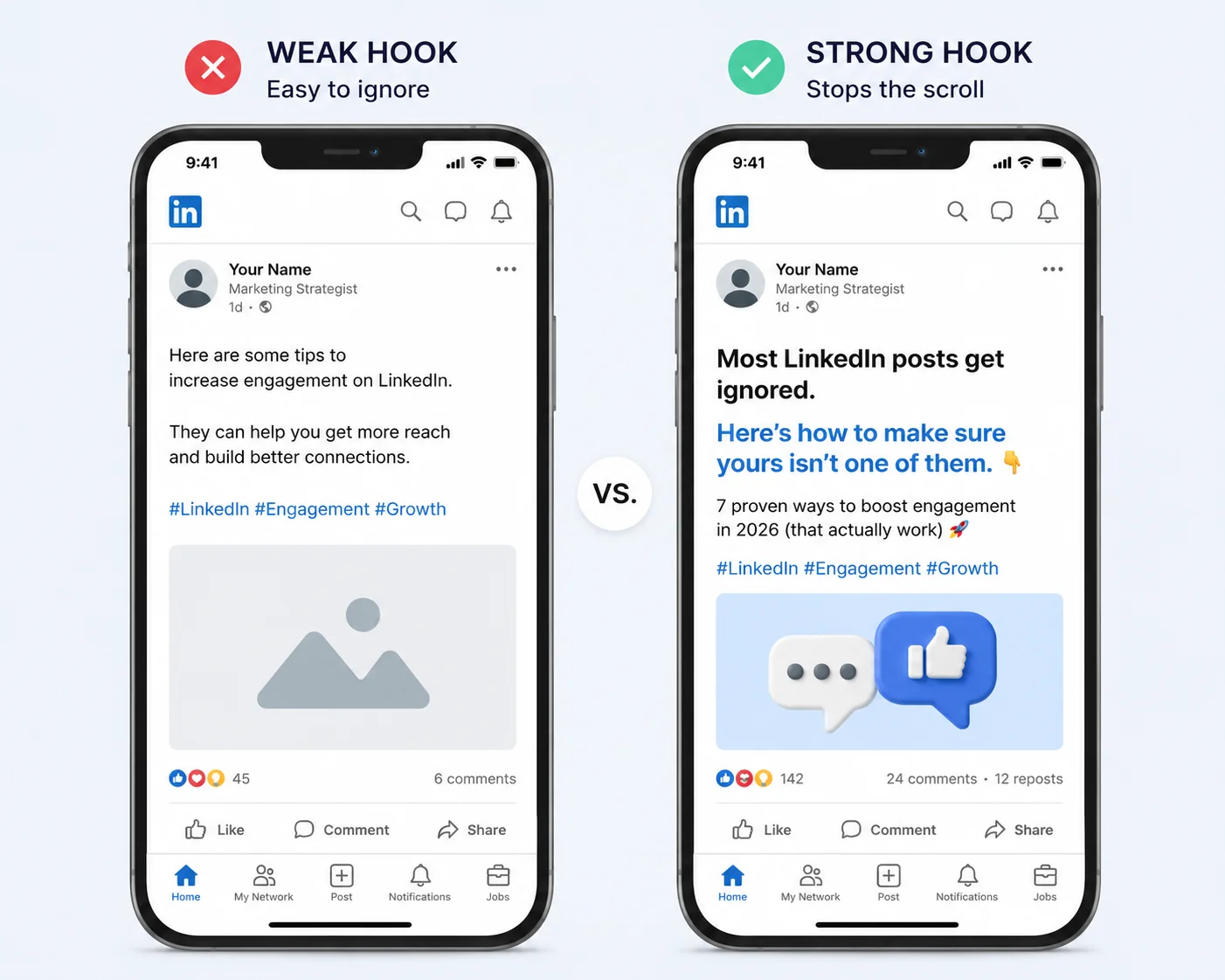
The first line or two of your post is doing all the work. It's the difference between someone tapping “see more” and someone's thumb continuing to move. A flat opener like “I wanted to share some thoughts on leadership today” reads as filler, and filler gets scrolled past without a second thought.
Compare that to something like this:
“I got rejected from 47 jobs before I understood why.”
That single line does three things at once: it's specific (47, not “lots”), it's a little vulnerable, and it opens a question the reader wants answered. You don't need a dramatic story for this to work either. “I almost deleted this post three times” or “My manager said something last week I haven't stopped thinking about” can do the same job for a smaller moment.
Takeaway: write the hook last, once you already know what the post is really about. It's much easier to sharpen an opening line when you know where it's leading.
3. Ask Questions People Can Actually Answer
“Agree or disagree?” has been used so many times it barely registers as a question anymore. It asks for a one-word reaction instead of a real thought, so that's usually what you get, if you get anything at all.
A better question gives people something specific from their own experience to respond with. Instead of “What do you think about hiring mistakes?” try “What's one hiring mistake you made early in your career that you'd never repeat?” The second version practically writes the comment for the reader. All they have to do is fill in the blank.
Takeaway: good engagement questions feel like they're asking for a story, not a verdict.
4. Write Directly in LinkedIn Instead of Pasting From Word
This one sounds minor and gets skipped constantly. Pasting text in from Word or Google Docs can drag in invisible formatting that messes with LinkedIn's line spacing, sometimes collapsing your carefully placed line breaks into one dense paragraph. A wall of text is harder to scan on a phone screen, and people who have to work harder to read a post are more likely to bounce before they finish it, let alone react to it.
Writing straight into the LinkedIn composer (or pasting as plain text) keeps your formatting clean and your line breaks exactly where you put them.
5. Use the Formats LinkedIn Keeps On-Platform
LinkedIn's whole business model depends on people staying on LinkedIn, so it makes sense that the algorithm quietly favors content that does exactly that. It's a big part of why carousel posts, native video, and polls tend to outperform a post that's really just a headline wrapped around a link to somewhere else.
That doesn't mean you can never share outside content, it just means the framing matters. Instead of “Great article on remote work, link below,” try pulling out the single most useful point from that article and writing it as your own native post. Then drop the link in the first comment for anyone who wants the full read.
Takeaway: give the platform the substance first, and save the external link for people who are already hooked.
6. Reply to Comments Quickly
Every reply you leave under your own post is a second engagement event on that same post, and a fast one tells LinkedIn a real conversation is unfolding in real time. It also changes how the post feels to a new visitor. A comment section with thoughtful back-and-forth invites people in. A comment section where the poster never showed up again feels a little abandoned, even if the original post was good.
Takeaway: block out 20 to 30 minutes right after you publish specifically to reply, ideally before you move on to anything else.
7. Comment on Other People's Posts Too
Engagement is a two-way habit, and most people only ever think about the giving half of it, meaning their own posts, instead of the receiving half. Spending 10 to 15 minutes a day leaving thoughtful comments on posts in your industry puts your name in front of people who've never heard of you, and a decent number of them will click through to your profile out of curiosity. For a repeatable way to do this well, see our guide on how to comment on LinkedIn like a pro.
Takeaway: a one-line “great post!” rarely earns anything. Add a specific point, a disagreement, or a related experience of your own, something the original poster would actually want to reply to.
8. Tell a Story Instead of Making an Announcement
“Excited to announce I've joined...” gets a wave of polite congratulations and not much else, because there's nothing in it for the reader to respond to beyond a quick “congrats!” Posts built around a specific moment, a mistake you made, a turning point, a piece of feedback that stung a little, consistently pull more comments, because there's something for the reader to relate to or push back on.
You can still share the announcement. Just anchor it to the story behind it instead of leading with the headline.
9. Use a Few Relevant Hashtags
Hashtags help LinkedIn file your post into the right topic feeds, which can extend your reach beyond your immediate connections. But stacking a dozen broad tags at the bottom of a post dilutes relevance rather than multiplying it, and it can read as a little spammy. A tighter mix of one or two broad tags and a couple of niche ones tends to do more. Our breakdown of top LinkedIn hashtags has current examples by industry if you're not sure where to start.
10. Post Consistently
Posting five times in one week and then vanishing for a month resets whatever momentum you built. LinkedIn's algorithm gives some weight to accounts that show up in a predictable pattern, and so does your audience, whether they realize it or not. A steady rhythm of two or three solid posts a week, kept up for a couple of months, tends to beat sporadic bursts of activity every time.
If consistency is the part that trips you up (it's the part that trips up almost everyone), batching a few posts ahead of time and scheduling them removes the pressure of having to think of something every single day.
11. Tag People Only When It Makes Sense
Tagging a genuine collaborator, client, or source can pull their network into your post's orbit, and that's a real, legitimate way to extend reach. Tagging five people who have nothing to do with the post, just hoping one of them engages, usually backfires. It reads as spammy, and people tagged out of nowhere are more likely to feel annoyed than flattered.
Takeaway: only tag someone if they'd genuinely want to see the post and would have something to say about it.
12. Use Video When It Fits the Topic
Native video tends to hold attention longer than text, and watch time itself acts as an engagement signal to the algorithm. It doesn't need production value. A 45 to 60 second video shot on your phone, explaining one idea clearly, regularly outperforms a scripted, overly polished version of the same idea, mostly because it feels like a person talking instead of an ad.
13. End With a Specific Call to Action
“Thoughts?” is the engagement equivalent of a shrug. It's technically an invitation, but it doesn't give anyone a reason to type something. “What's the one tool you'd never give up in your workflow?” is specific enough to answer without thinking too hard, and that low barrier is exactly what gets people to actually comment instead of just hitting like and moving on.
14. Check Your Analytics Every Week
LinkedIn's native analytics show you, post by post, what got reactions, what got comments, and what got reshared. Most people check this occasionally, out of curiosity, instead of treating it as a weekly habit. Ten minutes a week spent looking at which of your own posts performed, and trying to name why, will teach you more about your specific audience than any general advice, including everything above.
15. Give a Format More Than One Try
One flat post doesn't mean a format failed. It might mean the topic was off, the timing was bad, or it was competing with breaking news in everyone's feed that day. Engagement tends to compound the longer you show up consistently, because the algorithm builds a kind of trust in accounts that post and interact reliably, and that trust shows up as better performance even on your average posts over time.
Conclusion
Higher LinkedIn engagement comes down to a handful of repeatable habits: hook readers fast, reply quickly, comment on others' posts, and stay consistent, then let the data tell you what to double down on. None of these tactics take a huge time investment, just the discipline to do them every week.
If keeping up with all of this manually feels like a lot, Draftly can help you plan, write, and schedule posts around what's already working for your audience, so consistency stops being the hard part.